
Unity Procedural Generation Tool: Build Limitless Worlds
A Unity procedural generation tool is a software system or asset that algorithmically creates game content—such as levels, terrains, textures, and quests—at runtime or in the editor, replacing manual handcrafting with data-driven logic. This approach fundamentally shifts development from placing every asset by hand to architecting rule-based systems that produce infinite, unique variations. By leveraging noise functions, grammar systems, and modular prefab spawning, these tools enable a single developer to generate content that would traditionally require an entire art team, ensuring every playthrough feels fresh while dramatically reducing build sizes and iteration time.
What is a Unity Procedural Generation Tool?
At its core, a Unity procedural generation tool is any script, asset package, or integrated development environment (IDE) extension that automates content creation through mathematical algorithms rather than direct human manipulation. In the Unity engine, this typically manifests as C# scripts that interface with the GameObject and MonoBehaviour lifecycle to spawn, modify, or destroy objects based on a seed value. The tool acts as a bridge between raw algorithmic logic and the visual Unity Editor, often providing custom inspector windows, node-based graphs, or ScriptableObject configurations to make the generation accessible to designers who may not be deeply familiar with the underlying code.
The distinction between a simple random spawner and a true procedural generation tool lies in controllability and reproducibility. A robust tool exposes parameters like seed integers, noise scales, biome weights, and modular rule sets. This ensures that while the output appears organic and unpredictable, it is perfectly repeatable when the same seed and configuration are used—a critical requirement for debugging networked multiplayer sessions and maintaining consistent world states across distributed systems like RealSoft Games' RNet RPC framework.
The Algorithmic Backbone
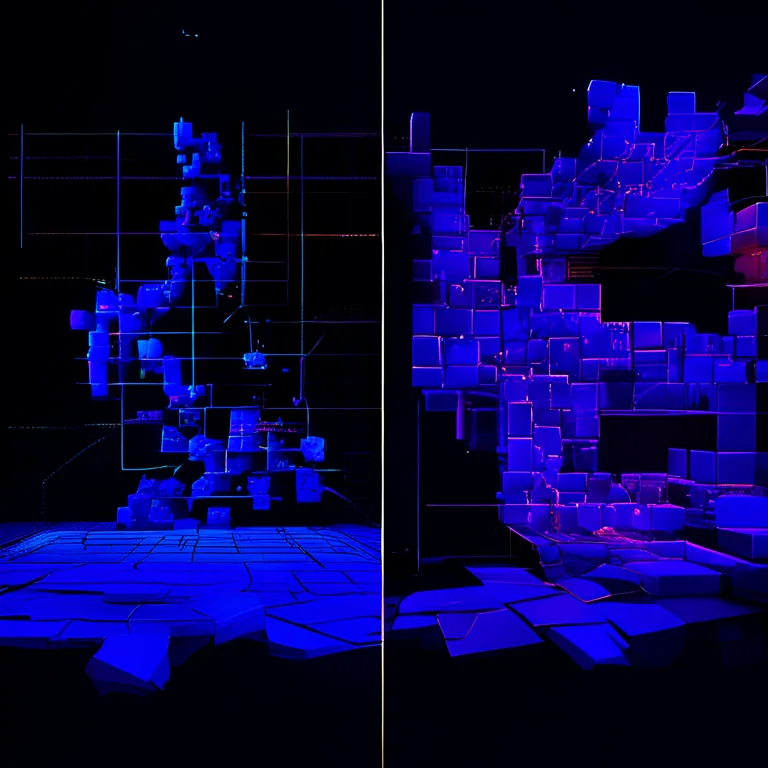
Most Unity procedural generation tool architectures rely on a stack of established algorithms. Perlin and Simplex noise generate heightmaps for terrain and cave systems. Wave Function Collapse (WFC) resolves complex tile adjacency constraints to produce buildings and interiors that obey logical rules. L-systems and grammar-based generation define recursive structures like vegetation and branching corridors. The tool's job is to abstract these complex mathematical concepts behind intuitive interfaces, allowing developers to focus on game feel rather than raw number crunching.
When architecting a procedural tool, always separate your generation logic from your MonoBehaviour scripts. Use pure C# classes for the algorithm and ScriptableObjects for configuration. This separation of concerns makes your Unity procedural generation tool testable in isolation and reusable across multiple projects without dragging in unnecessary dependencies.
Core Architectural Patterns for Procedural Systems
Building a production-ready Unity procedural generation tool requires more than just a clever algorithm; it demands a robust software architecture that integrates seamlessly with Unity's component model and your project's specific game systems. A poorly architected tool will crumble under the weight of complex generation passes, leading to main-thread stuttering and unmaintainable spaghetti code. The following patterns are battle-tested approaches observed in successful Unity assets and custom in-house tools.
The Pipeline Pattern: Step-by-Step World Assembly
The Pipeline Pattern treats world generation as a sequential series of discrete, interruptible steps. Each step—heightmap generation, biome assignment, object scattering, pathfinding validation—runs as a coroutine or async task. This is the architecture powering many advanced terrain systems. A Unity procedural generation tool built on this pattern can display progress bars to the player during loading screens, a technique polished to perfection in RealSoft Games' Advanced Loading Screen system, which handles async scene loading with customizable UI and transitions.
- Data Generation Phase: Generate raw maps (height, moisture, heat) using pure functions.
- Analysis Phase: Process maps to find river paths, coastline vertices, and biome boundaries.
- Population Phase: Spawn prefabs (trees, rocks, structures) based on the analyzed data.
- Validation Phase: Run physics checks or navmesh baking to ensure playability.
The Module-Based Spawner Pattern
For structured content like dungeons, space stations, or even UI layouts, the Module-Based Spawner Pattern is king. This is the foundation of assets like Spawner Advanced & Pooling, which leverages advanced object pooling to make the instantiation of thousands of modules performant. The tool defines "connectors"—doors, hallways, sockets—and a set of modules that fit those connectors. The algorithm iteratively fills space, ensuring every open connector is matched with a compatible module until a termination condition is met.
| Architectural Pattern | Ideal Use Case | Performance Profile | Complexity |
|---|---|---|---|
| Pipeline Pattern | Open-world terrain, biomes | Medium (spread across frames) | Medium |
| Module-Based Spawner | Dungeons, space stations, buildings | High (requires pooling) | High |
| Grammar/L-System | Vegetation, dialogue, quests | Low (string manipulation) | Low |
| Wave Function Collapse | Town layouts, tile-based maps | Very High (AC-3 algorithm) | Very High |
"The true power of a procedural tool isn't in the noise it generates, but in the artistic constraints it allows you to enforce. It's about designing the box within which chaos can play safely."
— Lead Architect, RealSoft Games
Integrating Procedural Generation with RTS and RPG Systems
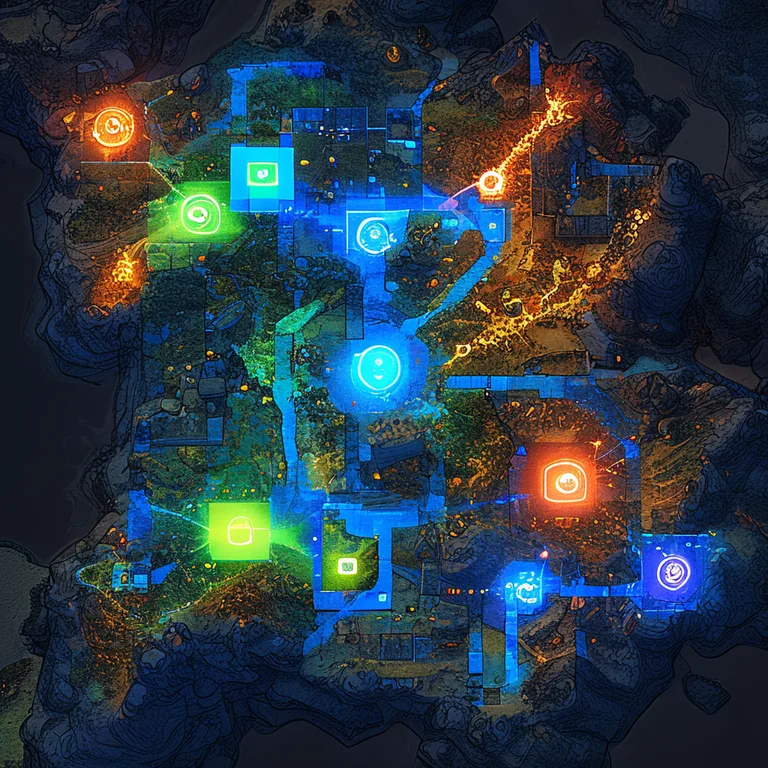
Procedural generation isn't just about creating pretty landscapes; it's about generating functional gameplay spaces. For strategy and role-playing games, the map is the game board. A Unity procedural generation tool must communicate seamlessly with selection systems, leveling mechanics, and AI pathfinding. This is where well-documented, extensible APIs become critical—a principle deeply embedded in the Icon Architect Studio asset, which transforms 3D models into 2D icons through a scriptable API that designers can extend without touching the core pipeline.
Dynamic Unit Spawning and Selection
When a procedural map generates a forest clearing, the game systems need to know that area is valid for spawning enemy encampments. This requires the generation tool to output metadata—not just visual meshes. By tagging generated zones with custom MonoBehaviour components that implement interfaces like ISpawnable or ISelectable, the procedural content becomes instantly compatible with gameplay systems. For example, RealSoft Games' Unit Selection package provides a drag-and-drop prefab system for RTS-style selection. When integrated with a procedural spawner, any generated unit automatically inherits selection box functionality without extra configuration, as the system relies on interfaces rather than concrete types.
Procedural Leveling Curves
In an RPG with procedural dungeons, the difficulty of spawned enemies shouldn't be random; it should follow a meticulously designed difficulty curve. This is where data-driven tools like the Advanced Leveling System shine. With over 40 algorithms and hand-drawn patterns, the leveling system can receive a "depth" or "threat" parameter from the procedural generator and calculate appropriate enemy stats on the fly. The generation tool defines the space, and the leveling system populates the challenge.
Performance Optimization and Object Pooling
Generating thousands of objects at runtime is the fastest way to tank your frame rate if not handled correctly. A professional Unity procedural generation tool treats memory management as a first-class citizen. The key metrics to monitor are GC allocation (garbage collection), draw calls, and the instantiation overhead of Instantiate(). The solution is almost always a combination of aggressive object pooling, level-of-detail (LOD) switching, and chunk-based activation.
Object pooling pre-instantiates a "magazine" of inactive GameObjects and recycles them as the camera moves, rather than destroying and instantiating new ones. This eliminates garbage collection spikes entirely. The Spawner Advanced & Pooling system encapsulates this pattern into a wave-based spawning framework, allowing procedural tools to request objects from the pool rather than the global Instantiate method. This integration is vital for VR experiences like Redemptions Guild, where a single frame drop due to GC can break immersion and cause motion sickness.
| Optimization Strategy | CPU Impact | Memory Impact | Implementation Difficulty |
|---|---|---|---|
| Object Pooling | Low (eliminates GC spikes) | Medium (pre-allocation) | Medium |
| Chunk-Based Activation | Low (culling via distance) | High (keeps data in memory) | Medium |
| GPU Instancing | Very Low (offloaded to GPU) | Low (shared materials) | Low |
| Burst Compiler (Jobs) | Very Low (multithreaded) | Low (native containers) | High |
Do not use Resources.Load() inside a hot generation loop. Always cache references to prefabs and ScriptableObjects in a dictionary during Awake(). A Unity procedural generation tool that hits the disk synchronously during generation will cause visible frame hitches on all platforms, especially mobile and WebGL.
Cross-Platform Considerations: Mobile, VR, and WebGL
A Unity procedural generation tool that runs beautifully on a high-end PC might be unshippable on a mobile device or a WebGL browser. The constraints of these platforms—limited memory bandwidth, absence of multithreading in WebGL, and strict thermal budgets on mobile—demand a different approach to algorithm design. You cannot simply reduce the polygon count; you must reduce the algorithmic complexity itself.
For mobile platforms, where RealSoft Games has shipped titles like Virtual Sim Story: Home & Life, procedural tools must prioritize deterministic, low-overhead algorithms. Cellular automata for cave generation are often preferred over Wave Function Collapse because they require fewer iterations and less backtracking. For WebGL games, the tool must be designed to run synchronously on the main thread or leverage the new Awaitable API to yield back to the browser, preventing the dreaded "Aw, Snap!" page crash. The Advanced Loading Screen asset is particularly useful here, as it can mask the generation time with engaging visuals and progress feedback, keeping the user patient while the procedural magic happens on a background thread (where supported).
VR-Specific Procedural Challenges
Virtual reality introduces the hard constraint of stereoscopic rendering at high frame rates (72, 90, or 120 FPS). A Unity procedural generation tool for VR, like the technology behind Redemptions Guild, must generate content within a strict 11-millisecond budget per frame. This often means pre-generating entire levels during a loading screen rather than streaming content dynamically as the player turns their head, as the latency of dynamic generation can cause perceptible judder that breaks presence.
"In VR, procedural generation isn't just a feature—it's a survival mechanism. It allows small teams to build the vast, explorable worlds that players expect, without the impossible art budget. But it has to be invisible. If the player sees the seams, the illusion shatters."
— Developer, Redemptions Guild
Extending Your Tool with AI and Machine Learning
The next frontier for the Unity procedural generation tool is the integration of machine learning models to act as intelligent evaluators and generators. Instead of hand-crafting complex rule sets for biome placement or room decoration, developers can train a neural network on existing level designs to learn the latent rules of "good" level design. Unity's Barracuda inference engine and Sentis allow these models to run directly on-device, enabling real-time AI-assisted generation.
Consider a dungeon generator. A traditional tool might use hard-coded rules: "a treasure room must have exactly one entrance." An ML-augmented tool, however, could be trained on thousands of human-designed dungeon rooms to understand concepts like pacing, line-of-sight, and cover placement. The generator proposes a layout, and the ML model scores it, rejecting designs that don't meet a learned quality threshold. This technique mirrors the ensemble methods used in RealSoft Games' Crypto AI Trading Bot, where multiple models collaborate to make decisions—in this case, trading financial assets for architectural validation.
When using ML in a Unity procedural generation tool, always provide a deterministic fallback. ML models can produce unpredictable results, especially with out-of-distribution seeds. A fallback to a classic noise-based generator ensures your game never fails to build a playable level.
Documentation and Extensibility: The Mark of a Professional Tool
The difference between a throwaway script and a professional Unity procedural generation tool lies in its documentation and API design. A tool without clear documentation is a black box that will be abandoned the moment a designer encounters an edge case. The tools in the RealSoft Games ecosystem, such as the Icon Architect Studio and Unit Selection, are built with extensive API references that treat every public method as a contract with the developer.
A well-documented procedural tool exposes its configuration through ScriptableObjects, not hard-coded values. It fires UnityEvents at key generation milestones (OnGenerationStart, OnChunkComplete, OnGenerationError), allowing other systems to hook into the pipeline without modifying the source code. This extensibility is crucial for studios that need to adapt a generic dungeon generator into a specific sci-fi corridor builder with unique lighting rules. The Unity Extensions Documentation provides a blueprint for this pattern, showing how to extend base classes to inject custom behavior at specific points in the generation sequence.
Frequently Asked Questions
Q: How do I choose the best Unity procedural generation tool for my game?
A: Start by auditing your game's specific content needs. If you need organic terrain, look for a tool with robust noise functions and biome blending. For structured interiors like dungeons or space stations, prioritize a module-based spawner with connector logic. Always check that the tool exposes a seed system for reproducibility and is compatible with your target platform's performance constraints. The right tool should save you more time in iteration than it costs in learning and integration.
Q: What's the best way to prevent lag when generating procedural content at runtime?
A: The most effective strategy is to combine object pooling with time-sliced generation. Never try to generate an entire world in a single frame. Use coroutines or the C# Job System to spread the work across multiple frames, and always instantiate objects from a pre-warmed pool to avoid garbage collection spikes. For mobile and VR, pre-generate as much as possible during a loading screen, using an asset like the Advanced Loading Screen to keep the player engaged while the world builds.
Q: Why should I use a procedural generation tool instead of hand-building levels?
A: Procedural generation isn't a replacement for hand-crafted design—it's a force multiplier. It excels at creating large-scale variation, background detail, and replayable content that would be economically impossible to build by hand. A hybrid approach, where designers create key set-pieces and the procedural tool fills in the connective tissue, often yields the best results. It allows small teams to ship games with the scope of AAA titles, as seen in projects like Virtual Sim Story: Home & Life.
Q: Can I use procedural generation in a networked multiplayer game?
A: Yes, and it's a powerful pattern for reducing network traffic. The key is deterministic generation: given the same seed and the same algorithm, every client must produce exactly the same world. Avoid using floating-point math where possible, or ensure you use deterministic math libraries. Only the seed and any player-driven modifications need to be synchronized over the network. An RPC framework like RNet is ideal for syncing these lightweight state changes across distributed systems.
Q: How do I integrate procedural generation with Unity's new ECS (Entity Component System)?
A: ECS is a natural fit for procedural generation due to its performance characteristics. You can write your generation algorithms as Burst-compiled jobs that operate directly on NativeArrays of entity data. Instead of instantiating GameObjects, you create entities from archetypes. The challenge is that ECS is still evolving, so a hybrid approach—using GameObjects for complex prefabs with MonoBehaviours and converting them to entities for runtime performance—is currently the most pragmatic path for most production projects.
Q: How do I make my procedurally generated worlds feel hand-crafted and not repetitive?
A: The key is layering multiple scales of noise and rule-based constraints. Use macro-level generation to define broad regions (forest, desert, swamp), meso-level generation to place points of interest (ruins, camps, resources), and micro-level generation to scatter detail (rocks, grass, debris). Introduce very rare, hand-crafted "hero" assets that can appear in specific conditions. The goal is to create a rhythm of predictability and surprise that mimics the pacing a human designer would create.
A Unity procedural generation tool is more than a random number generator attached to a prefab list; it's a sophisticated architectural framework that, when built with clear APIs, robust pooling, and cross-platform awareness, becomes the backbone of infinite, replayable game worlds. By studying the patterns outlined here and leveraging extensible, well-documented assets from the RealSoft Games ecosystem—from the modular spawning of Spawner Advanced & Pooling to the deterministic networking of RNet—you can architect a generation pipeline that scales from a solo indie project to a distributed multiplayer simulation. The future of content creation in Unity is not about placing every tree by hand; it's about writing the rules that let forests grow themselves.