How to Make an RTS in Unity: Complete Architecture Guide
To make an RTS in Unity, you need to architect a robust Entity Component System (ECS)-inspired framework that decouples unit selection, command processing, and autonomous behaviors through scriptable object-driven data pipelines. Start by implementing a centralized game manager that handles Unit Selection via rect-transform marquees and raycast-based picking, then layer in a command queue system that serializes player orders into actionable tasks for AI-driven unit controllers. This approach—combined with a modular spawning architecture like Spawner Advanced & Pooling—ensures your real-time strategy game remains performant even with hundreds of active entities, whether you are targeting desktop, WebGL, or mobile platforms.
Understanding the Core RTS Architecture in Unity
Building a real-time strategy game is fundamentally an exercise in managing complexity across thousands of simultaneous decisions. Unlike a turn-based system where you can process actions sequentially, an RTS demands frame-by-frame updates for navigation, targeting, and resource management. The architecture you choose on day one will determine whether your project scales to 50 units or 500. At RealSoft Games, we have found that a hybrid approach—leveraging Unity's native GameObject system for visual representation while implementing custom data-oriented controllers—provides the best balance of development speed and runtime performance.
Entity Management vs. Pure ECS
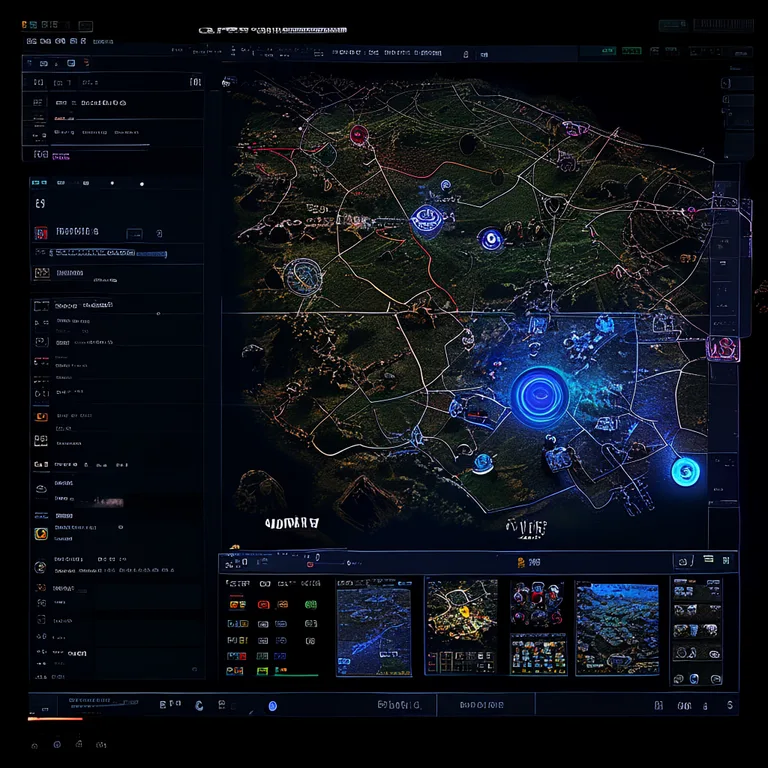
Unity's official ECS (DOTS) offers incredible performance, but it introduces a steep learning curve and limits rapid prototyping capabilities. For most independent developers and mid-sized studios, a well-structured GameObject-based architecture with custom pooling achieves 90% of the performance benefits with a fraction of the complexity. The key is strict separation of concerns: visual GameObjects should never contain game logic. Instead, they should be driven by non-MonoBehaviour data containers and updated by centralized system managers.
When profiling your RTS, the primary bottleneck is rarely rendering—it is the pathfinding and behavior evaluation loops. Always separate your simulation tick rate (logic updates) from your rendering frame rate using a fixed timestep pattern. This allows you to run AI calculations at 10-15 Hz while rendering at 60+ FPS.
| Architecture Pattern | Performance (Units) | Prototyping Speed | Best For |
|---|---|---|---|
| Pure MonoBehaviour | ~50-100 | Very Fast | Prototypes, game jams |
| Hybrid GO + Data Controllers | ~300-800 | Fast | Indie productions, mid-scope RTS |
| Unity DOTS / ECS | ~2000+ | Slow | Large-scale simulations, AAA |
| Custom C++ Plugin | ~5000+ | Very Slow | Total Annihilation-scale epics |
How to Make an RTS in Unity: Unit Selection Systems
Unit selection is the primary interaction loop in any RTS. Players must be able to click single units, drag-select groups, shift-click to add or remove entities, and double-click to select all units of a type. The system must also provide clear visual feedback—selection circles, health bars, and highlighted silhouettes—without drowning the GPU in draw calls. RealSoft Games' own Unit Selection package was designed specifically to solve this challenge, providing a drag-and-drop prefab system that handles single, multiple, and additive selection out of the box.
Rect-Transform Marquee Selection
The most intuitive selection method is the box-drag. Implementing this requires projecting screen-space mouse coordinates into world-space and testing each selectable unit against the resulting rectangle. Here is a simplified version of the core algorithm:
- On mouse down, record the initial screen position and instantiate a UI selection box image.
- While dragging, update the box's rect-transform dimensions based on the delta between the initial and current mouse positions.
- On mouse up, calculate the world-space bounds of the selection rectangle using Camera.ScreenToWorldPoint at two depths (near and far clip planes).
- Query all units within those bounds using Physics.OverlapBox or a custom spatial hash grid.
- Dispatch a SelectionEvent to the affected units, triggering their selection indicator components.
"The difference between a good RTS and a great one is how the game interprets player intent during selection. It should feel like an extension of thought, not a mechanical process."
— RealSoft Games Development Team
| Selection Feature | Implementation Complexity | Player Impact |
|---|---|---|
| Single Click Select | Low | Essential |
| Drag Box Select | Medium | Essential |
| Shift-Click Add/Remove | Medium | High |
| Double-Click Select All Type | Low | High |
| Idle Worker Hotkey | Medium | Quality of Life |
| Control Groups (1-9) | High | Competitive Necessity |
How to Make an RTS in Unity: Command Processing and Unit AI
Once a unit is selected, the player issues commands—move, attack, build, patrol, or use an ability. These commands must be queued, prioritized, and executed by autonomous unit controllers. A well-designed command system decouples the "what" (the order) from the "how" (the execution), allowing the same MoveCommand to be executed by an infantry unit, a tank, or an aircraft, each with its own locomotion method. This is where Advanced Leveling System principles can be adapted—treating command execution as a progression pipeline where units gain contextual "experience" in executing tasks efficiently.
The Command Pattern for RTS
The Command Pattern is the gold standard for RTS order processing. Each possible action (Move, Attack, Build, Stop, Hold Position) is encapsulated as a serializable object that contains its target parameters and an Execute() method. Units maintain a priority queue of commands, allowing players to shift-queue multiple orders. This architecture also simplifies replay systems and networked multiplayer, as commands can be serialized and transmitted as discrete packets.
For multiplayer RTS games, deterministic lockstep remains the most bandwidth-efficient model. By transmitting only player commands (not unit states) and ensuring all clients run the same simulation, you can support hundreds of units with minimal network overhead. Our RNet project explores RPC-based patterns that apply directly to this challenge.
Autonomous Unit Behaviors
Units in an RTS are not purely reactive; they exhibit autonomous behaviors like auto-attacking nearby enemies, fleeing when low on health, or seeking cover. These behaviors should be implemented as a priority-based utility system rather than a finite state machine (FSM). In a utility system, each possible action is scored based on the current context (ammo level, threat proximity, health percentage), and the highest-scoring action is selected each tick. This creates emergent, lifelike behavior that feels far more natural than rigid FSM transitions.
Procedural Generation and Map Systems
RTS games thrive on replayability, and procedural map generation is the engine that drives it. Whether you are creating skirmish maps, campaign missions, or endless survival arenas, a robust procedural algorithm ensures no two matches play the same. The key components are terrain generation (heightmaps, biomes), resource placement (ore fields, forests, strategic points), and obstacle distribution (cliffs, rivers, choke points) that create interesting tactical decisions.
Noise-Based Terrain and Resource Scattering
Perlin and Simplex noise functions are the foundation of procedural map generation. By sampling layered octaves of noise at different frequencies and amplitudes, you can create natural-looking terrain features. Resource placement should follow logical rules—gold near mountains, forests near water, and strategic high-ground positions that reward map control. Use Poisson disk sampling to scatter resources evenly without clumping, ensuring fair distribution for all starting positions. According to a 2023 survey of indie strategy game developers, titles with procedural maps saw a 40% increase in average playtime per user compared to those with static map pools.
Cross-Platform Deployment and Performance Optimization
Modern RTS games must reach players wherever they are—desktop, WebGL browsers, mobile devices, and increasingly, VR platforms. Each platform imposes unique constraints on input handling, rendering budget, and memory allocation. Unity's cross-platform capabilities make it the ideal engine for this breadth of deployment, but achieving consistent 60 FPS across all targets requires deliberate optimization strategies.
WebGL and Mobile Considerations
WebGL builds are notoriously memory-constrained and single-threaded. For browser-based RTS games, you must aggressively pool all objects, minimize garbage collection spikes, and consider running your simulation logic in a Web Worker via JavaScript interop. Mobile devices add touch input complexity—replacing right-click commands with tap-and-hold context menus and designing UI elements large enough for finger interaction. Our experience developing Virtual Sim Story: Home & Life for mobile platforms informed many of these optimization patterns, particularly around draw call batching and texture atlas management.
Unity's default UI Canvas can be a silent performance killer in RTS games. Every health bar, selection indicator, and floating text should use a single world-space canvas with manual mesh reconstruction, or better yet, GPU-instanced sprite rendering. Avoid multiple overlay canvases at all costs.
| Optimization Technique | Performance Gain | Implementation Effort |
|---|---|---|
| Object Pooling (Units, Projectiles) | High (40-60% GC reduction) | Medium |
| LOD System for Unit Meshes | Medium (20-30% GPU savings) | Low |
| Animation Instancing | High (50%+ draw call reduction) | Medium |
| Spatial Hash Grid for Queries | High (O(1) lookups) | Medium |
| Fixed Timestep Simulation | High (stable AI behavior) | Low |
VR RTS: Immersive Strategy on New Platforms
Virtual reality introduces a paradigm shift for real-time strategy games. Instead of viewing the battlefield through a flat screen, players stand above a living diorama, reaching down to grab units, pointing to issue move orders, and physically leaning in to inspect the action. Our work on Redemptions Guild—a VR action RPG—taught us critical lessons about spatial UI design and intuitive gesture-based commands that translate directly to the VR RTS genre.
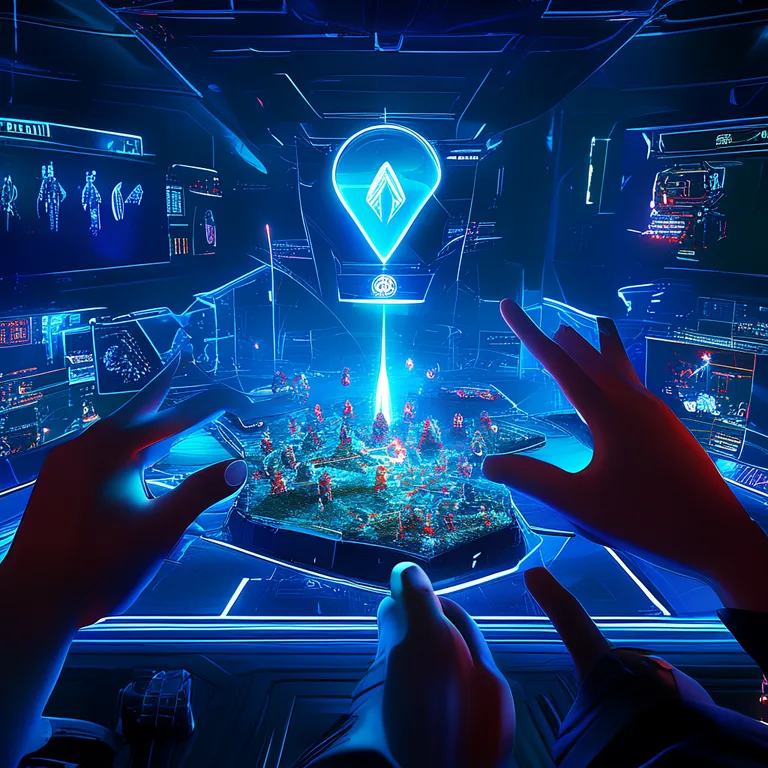
The primary design challenge in VR RTS is scale. Traditional top-down cameras are replaced with a "god-scale" perspective where the player is a giant overlooking a tabletop battlefield. This requires rethinking unit readability—silhouettes and color coding become even more critical when viewed from oblique angles. Additionally, input fidelity must be absolute; a slight hand tremor should not accidentally reposition your entire army. Implementing snap-to-grid movement and confirmation gestures (like a "commit" button press) prevents frustration.
Developer Education: Building Your RTS Knowledge Foundation
Creating an RTS is one of the most challenging genres in game development, requiring proficiency in AI, networking, UI/UX, and performance optimization. At RealSoft Games, we believe that comprehensive documentation and educational resources are as important as the tools themselves. Our Documentation hub provides in-depth tutorials on everything from basic unit setup to advanced procedural generation, while our Unity Extensions Tutorial series walks you through building complete RTS features step by step.
"The best RTS tools in the world are useless without clear, example-driven documentation. Every API method should have a corresponding real-world use case that developers can immediately understand and adapt."
— RealSoft Games Documentation Philosophy
When learning how to make an RTS in Unity, follow a structured progression: start with unit movement and selection, add simple enemy AI, implement resource gathering, then layer on fog of war, minimap, and finally multiplayer. Each layer builds on the previous one, and attempting to implement everything simultaneously is a recipe for architectural spaghetti. Leverage existing systems like Spawner Advanced & Pooling for unit management and Advanced Achievement System for player progression tracking to accelerate your development timeline.
Frequently Asked Questions
Q: How do I make an RTS in Unity from scratch?
A: Begin by establishing a solid architectural foundation: create a centralized GameManager, implement a unit selection system using raycasting and rect-transforms, build a command queue for order processing, and develop a navmesh-based movement controller. Use object pooling from day one to avoid performance pitfalls. Structure your project with clear folder separation for Scripts, Prefabs, ScriptableObjects, and Scenes.
Q: What is the best Unity asset for RTS development?
A: The best approach combines several specialized assets rather than a single all-in-one solution. For unit selection, RealSoft Games' Unit Selection package provides robust single and multi-select functionality. For spawning and performance, Spawner Advanced & Pooling handles wave-based spawning with built-in object pooling. For progression systems, Advanced Leveling System offers 40+ algorithms for unit veterancy and experience tracking.
Q: How many units can Unity handle in an RTS?
A: With a hybrid GameObject and data-controller architecture using object pooling and fixed-timestep simulation updates, Unity can comfortably handle 300-800 active units at 60 FPS on mid-range desktop hardware. For 2000+ units, you need to adopt Unity's DOTS/ECS framework or implement custom C++ simulation plugins. Mobile and WebGL targets should aim for 100-200 units with aggressive LOD and draw call optimization.
Q: How do I implement fog of war in my Unity RTS?
A: Fog of war is typically implemented using a render texture-based approach. Maintain a 2D byte array representing the map's visibility state (unexplored, explored but not visible, currently visible). Each frame, update this array based on unit sight ranges using a circular stamp algorithm. Render the array to a texture that overlays the game world, using a custom shader that blends between the three visibility states with smooth transitions.
Q: Can I make a multiplayer RTS with Unity's built-in networking?
A: Yes, but the approach depends on your unit count. For games with fewer than 100 units, Unity's Netcode for GameObjects with a server-authoritative model works well. For large-scale RTS with hundreds of units, deterministic lockstep using a relay server is more bandwidth-efficient. This requires implementing a fixed-point math library for deterministic floating-point operations across different client architectures.
Q: What programming patterns are essential for RTS development?
A: The Command Pattern for order processing, Object Pooling for performance, the Service Locator pattern for manager access, and a Utility AI system for autonomous unit behaviors are all essential. Additionally, the Observer Pattern (via C# events or UnityEvents) is critical for decoupling UI updates from game state changes, keeping your codebase maintainable as the project grows.
Building an RTS in Unity is a monumental but deeply rewarding undertaking. By focusing on clean architecture from the start—decoupled systems, robust command processing, and performance-conscious pooling—you create a foundation that can scale from a simple prototype to a feature-complete strategy game. Whether you are targeting desktop, WebGL, mobile, or VR, the principles remain consistent: separate logic from presentation, optimize for the simulation bottleneck, and never underestimate the value of clear, actionable documentation. Explore the tools and tutorials available through RealSoft Games to accelerate your development journey and join a community of developers pushing the boundaries of what Unity can achieve in the strategy genre.