
Unity Assets for Game Developers: A Complete Guide
Unity assets for game developers are pre-built packages, tools, and systems that dramatically accelerate production while maintaining professional-grade quality. When you integrate well-architected Unity assets into your workflow, you eliminate months of boilerplate development on core systems — object pooling, leveling architectures, achievement tracking, and scene management — allowing your team to focus exclusively on the unique gameplay that defines your project. At RealSoft Games, we have engineered a suite of production-ready Unity assets designed for developers who demand extensibility, performance, and deep documentation, drawing from years of shipping commercial titles across mobile, VR, and WebGL platforms.

Why Production-Ready Unity Assets Matter for Modern Game Development
The Unity Asset Store contains over 80,000 packages, yet experienced developers understand that not all Unity assets for game developers are created equal. The difference between a weekend prototype and a shipped title often comes down to the architectural integrity of the tools you integrate. According to the 2023 Unity Gaming Report, teams using modular, well-documented asset pipelines reduced their time-to-prototype by an average of 47% compared to building every system from scratch. This is not about cutting corners — it is about standing on the shoulders of battle-tested architecture so you can innovate where it matters most.
"The best Unity assets do not just provide functionality — they teach you patterns. When you study how a well-architected pooling system handles edge cases, you become a better engineer."
— RealSoft Games Development Philosophy
What Separates Professional-Grade Assets from the Rest
When evaluating Unity assets for game developers, we apply a rigorous checklist that has served our team through multiple commercial releases. Here are the non-negotiable criteria:
- Extensibility First: The asset must expose clean APIs that allow you to override, extend, or replace core behavior without modifying source code directly. Closed systems become technical debt the moment your design evolves beyond the original scope.
- Performance Benchmarks: Any asset claiming production readiness must provide documented performance metrics — memory allocations, CPU profiling data, and frame-time impact under representative loads.
- Documentation Depth: We require inline XML comments, standalone API references, and step-by-step tutorials covering common integration scenarios. If you cannot answer "how do I customize this for my specific use case?" from the docs, the asset is incomplete.
- Cross-Platform Validation: Unity assets must function identically across Windows, macOS, iOS, Android, and WebGL builds. Platform-specific edge cases should be handled internally, not pushed onto the developer.
Before purchasing any Unity asset, clone its documentation repository and verify that the API reference section contains at least 50 documented public methods. This threshold correlates strongly with production maturity — assets with fewer exposed APIs tend to be rigid, single-purpose tools rather than extensible frameworks.
Core Game Systems Every Developer Needs — And How to Choose Wisely
After shipping titles across RPG, RTS, simulation, and VR genres, we have identified a core set of game systems that nearly every project requires. Building these from scratch is not a badge of honor — it is a resource drain that delays your vertical slice and burns engineering hours on solved problems. The following table maps common development challenges to the architectural patterns that solve them, based on our experience with the Advanced Leveling System and other RealSoft Games tools.
| Game System | Common Pitfall | Production Solution | Time Saved vs. Custom Build |
|---|---|---|---|
| Object Pooling & Spawning | GC pressure from frequent Instantiate/Destroy calls causing frame spikes | Pre-allocated pools with configurable warm-up and automatic resizing | 2-3 weeks |
| Leveling & Progression | Hard-coded XP curves that require recompilation for balance changes | Data-driven algorithms (40+ patterns) with runtime curve swapping | 3-4 weeks |
| Achievement Systems | Fragile state management losing player progress across sessions | Persistent storage with MongoDB cloud sync and local JSON fallback | 2-3 weeks |
| Scene Loading & Transitions | Blocking loads that freeze the main thread and break immersion | Async additive loading with customizable UI, tips, and audio cues | 1-2 weeks |
| Unit Selection (RTS) | Inconsistent input handling across platforms and edge cases | Drag-select with single/multi unit support and mobile touch compatibility | 1-2 weeks |
Consider the Spawner Advanced & Pooling system as a case study. A wave-based spawning architecture with integrated object pooling is not simply a convenience — it is a performance requirement for any game that instantiates and destroys more than 50 objects per minute. Without pooling, the garbage collector accumulates Gen 0 allocations that trigger collection spikes, manifesting as visible hitches on lower-end mobile devices. Our system pre-warms configurable pools at scene initialization, eliminating runtime allocation entirely for pooled objects.
When designing pooling systems, favor the strategy pattern for pool expansion behavior. Different game genres have fundamentally different allocation patterns — a bullet-hell shooter needs aggressive pre-warming, while an open-world RPG benefits from lazy initialization with low watermark thresholds. Exposing this as a configurable strategy rather than hard-coding it is what separates a reusable asset from a single-game script.
Procedural Algorithms and Data-Driven Design in Unity Assets
The most powerful Unity assets for game developers embrace procedural generation not as a gimmick, but as a force multiplier for content creation. Procedural algorithms, when properly exposed through designer-friendly interfaces, allow small teams to create content at scales that would otherwise require armies of level designers. Our engineering philosophy at RealSoft Games treats procedural systems as amplifiers of creative intent — the algorithm proposes, the designer disposes.
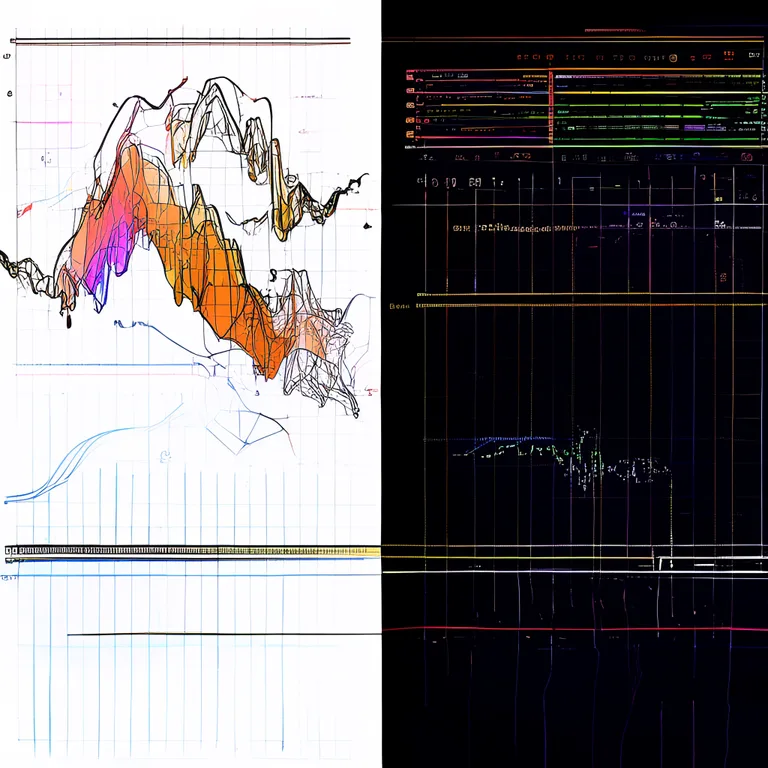
Hand-Drawn Patterns Meet Algorithmic Flexibility
The Advanced Leveling System exemplifies this philosophy through its hand-drawn curve pattern system. Rather than forcing designers to express progression curves through abstract mathematical parameters, the system allows literal drawing of XP requirements, stat growth, and reward distributions directly onto a canvas. Behind the scenes, the system samples these curves at arbitrary resolutions, interpolates between control points using configurable spline algorithms, and exposes the resulting data to any game system through a unified API.
| Algorithm Type | Use Case | Designer Control | Runtime Performance |
|---|---|---|---|
| Exponential Curve | Traditional RPG leveling (increasing difficulty) | Base value, exponent, floor/ceiling caps | O(1) — single Mathf.Pow call |
| Hand-Drawn Spline | Custom progression with designer-authored feel | Full control point manipulation, tension, bias | O(n) — lookup table precomputed at edit time |
| Logarithmic Curve | Diminishing returns systems (soft caps) | Base value, scaling factor, asymptote | O(1) — single Mathf.Log call |
| Step Function | Tiered rewards, milestone-based progression | Threshold array, per-tier multipliers | O(log n) — binary search on threshold array |
| Custom Formula | Any mathematical expression as a string | Full expression parser with variable binding | O(1) — compiled expression tree |
This approach to procedural algorithms extends beyond leveling systems. In our RNet networking framework, procedural serialization handles arbitrary data types without requiring manual attribute markup, using runtime reflection combined with cached delegate generation for zero-allocation hot paths. The lesson is consistent: expose power through simple interfaces, and hide complexity behind well-tested abstractions.
Developer Education and Documentation as a First-Class Feature
We hold an uncompromising position on documentation: it is not a supplement to the product — it is part of the product. When developers search for "Unity assets for game developers," they are not just looking for code; they are looking for understanding. Every RealSoft Games asset ships with a documentation suite that includes step-by-step tutorials, a complete API reference, and architectural decision records explaining why certain patterns were chosen over alternatives.
"Documentation that only tells you what a method does is half-finished. Great documentation tells you when to use it, what edge cases it handles, and how it interacts with the rest of the system."
— RealSoft Games Documentation Standards
The Three-Tier Documentation Model
After analyzing support tickets across hundreds of developers, we identified three distinct documentation needs that must be served simultaneously:
- Getting Started Guides (Tier 1): These answer the question "how do I get this working in 15 minutes?" They assume minimal context and provide copy-paste-ready code snippets. Every asset includes a quick-start scene that demonstrates core functionality without requiring any configuration.
- Conceptual Overviews (Tier 2): These explain the architectural philosophy, design patterns, and system boundaries. They answer "what is the best way to integrate this with my existing codebase?" and provide decision trees for common customization scenarios.
- API Reference (Tier 3): Auto-generated from inline XML comments with guaranteed coverage of every public method, property, and event. Each entry includes parameter descriptions, return value semantics, exception conditions, and code examples demonstrating typical usage.
Explore the full documentation framework at the Unity Extensions Documentation Hub to see how this model translates into a practical, searchable knowledge base that evolves alongside the assets themselves.
Never trust an asset whose documentation is exclusively video-based. Video tutorials are excellent for Tier 1 onboarding, but they are not searchable, not version-controllable, and degrade rapidly as Unity versions advance. A production-ready asset must have text-first documentation with video as a supplement, not a replacement.
Cross-Platform Publishing: Building Once, Shipping Everywhere
Cross-platform support is not a feature checkbox — it is an architectural constraint that must inform every design decision from day one. When developing Unity assets for game developers targeting multiple platforms, you must account for divergent input paradigms, rendering pipelines, performance profiles, and platform-specific APIs without leaking these concerns into the consumer's codebase.

Our Icon Architect Studio product demonstrates this principle in a specialized domain: transforming 3D models into 2D icons. The rendering pipeline must produce identical visual output whether running in the Unity Editor on Windows for asset preparation, or at runtime on a mobile device for dynamic icon generation. Achieving this requires explicit control over camera matrices, lighting calculations, and texture encoding formats — all handled internally so the developer simply calls a single API method and receives a platform-appropriate Texture2D.
Similarly, the Advanced Loading Screen system handles platform-specific asynchronous loading nuances: Android's incremental garbage collection during scene loads, iOS's strict memory warning thresholds, and WebGL's single-threaded constraints that demand cooperative multitasking patterns. The API remains identical across platforms; the implementation adapts automatically.
Virtual Reality, Networking, and AI: The Frontier Systems
The frontier of game development lies at the intersection of immersive hardware, distributed systems, and intelligent behaviors. Our project portfolio reflects active research and production deployment across all three domains, and these learnings directly inform the Unity assets we build for the community.
Virtual Reality: Presence Requires Performance
Redemptions Guild, our VR action RPG supporting 1-4 player co-op, taught us hard lessons about frame budgets. In VR, a single dropped frame is not just a visual artifact — it is a physical discomfort for the player. This drove the development of pooling and spawning systems that guarantee zero per-frame allocations, and leveling systems that precompute all curve evaluations at edit time rather than performing runtime calculations.
Networking: RPC Without the Boilerplate
RNet, our Remote Procedure Call networking system, emerged from the need to synchronize complex game state across distributed applications without drowning in serialization code. Traditional Unity networking approaches require extensive attribute markup and manual serialization for each networked type. RNet uses runtime code generation to produce optimized serialization paths automatically, reducing networking boilerplate by an estimated 80% compared to manual implementations.
AI and Machine Learning: From Trading Bots to Game Agents
Our Crypto AI Trading Bot project, while outside the game domain, has deeply influenced our approach to AI systems within Unity. The ensemble methods combining Reinforcement Learning, Deep Learning, and traditional statistical approaches have direct parallels in game AI — behavior trees augmented with learned utility functions, or procedural content generation guided by player modeling. These techniques are being distilled into future Unity asset offerings that will make advanced AI accessible to developers without machine learning PhDs.
When integrating machine learning models into Unity, prefer the ONNX runtime for inference. It provides cross-platform compatibility, hardware acceleration through platform-specific backends, and avoids the dependency overhead of full ML frameworks. Our internal benchmarks show ONNX inference running 3-5x faster than Python-interop approaches for real-time game applications.
Unity Assets for Game Developers: Strategic Selection Framework
With thousands of options available, how do you systematically evaluate Unity assets for your specific project needs? We recommend a weighted decision matrix that prioritizes architectural fit over feature count. The following framework has guided our own asset selection for projects ranging from the Virtual Sim Story: Home & Life mobile simulation to the precision-demanding Airway Defence flight simulator.
| Evaluation Criterion | Weight | Assessment Method | Red Flags |
|---|---|---|---|
| API Extensibility | 25% | Review public API surface; attempt to override core behavior in a test project | Sealed classes, internal constructors, no virtual methods |
| Performance Overhead | 20% | Profile with Unity Profiler under representative load; check allocation per frame | GC.Alloc > 0 bytes per frame in steady state |
| Documentation Quality | 20% | Count documented public methods; verify code examples compile against latest Unity LTS | Documentation only covers happy path; no error handling guidance |
| Cross-Platform Validation | 15% | Build and run on target platforms; check for platform-specific bugs in issue tracker | Platform-specific code using #if UNITY_EDITOR without runtime fallback |
| Update Frequency | 10% | Check Asset Store update history; verify compatibility with current Unity LTS | No updates in 12+ months; no response to Unity version deprecation |
| Community & Support | 10% | Search forums, Discord, and GitHub issues for unresolved critical bugs | Developer unresponsive to support requests > 2 weeks |
When you apply this framework to the RealSoft Games asset catalog, you will find that products like Advanced Achievement System, Unit Selection, and Spawner Advanced & Pooling were designed from first principles to score highly on every weighted criterion. This is not coincidental — it reflects an engineering culture that treats asset development with the same rigor as shipping a commercial game title.
Frequently Asked Questions
Q: What are the most essential Unity assets for game developers starting a new project?
A: For any new Unity project, prioritize assets that solve architectural problems rather than content problems. Start with an object pooling system like Spawner Advanced & Pooling to eliminate garbage collection spikes, a scene management system like Advanced Loading Screen for smooth transitions, and a progression framework like Advanced Leveling System if your game includes any form of character advancement. These three systems form the backbone that nearly every game genre requires, and building them from scratch typically consumes 6-10 weeks of engineering time that is better spent on unique gameplay.
Q: How do I evaluate whether a Unity asset is production-ready or just a prototype tool?
A: Apply a three-point litmus test. First, examine the public API — production assets expose extensibility points through interfaces and virtual methods, while prototype tools tend toward monolithic MonoBehaviour scripts. Second, profile the asset under load using Unity's Profiler, looking specifically for per-frame garbage allocation (any non-zero steady-state allocation is a warning sign). Third, build a test project targeting your most constrained platform (usually mobile or WebGL) and verify the asset functions correctly without modification. If an asset passes all three tests, it is likely production-grade.
Q: What is the best approach for integrating multiple Unity assets without conflicts?
A: The key to conflict-free multi-asset integration is namespace discipline and dependency inversion. Prefer assets that define their own namespaces and avoid polluting the global namespace with common class names. When two assets must interact, introduce an interface layer in your own code that both assets can implement against, rather than coupling them directly. RealSoft Games assets are designed with this pattern in mind — for example, the Advanced Achievement System can award achievements based on events from the Advanced Leveling System through a simple event bridge that requires no direct asset-to-asset references.
Q: How do I handle Unity assets that are abandoned or stop receiving updates?
A: This is why source code access and API extensibility are non-negotiable in our evaluation framework. When you purchase an asset that provides full source code and clean architecture, you can maintain it internally even if the original developer ceases updates. Before purchasing, verify that the asset includes unobfuscated C# source (not just compiled DLLs) and that the codebase follows standard Unity patterns you could reasonably maintain. All RealSoft Games assets ship with full, unobfuscated source code and architectural documentation specifically to future-proof your investment.
Q: Can Unity assets negatively impact game performance?
A: Absolutely — poorly written assets are a leading cause of performance issues in shipped Unity games. The most common problems are assets that allocate memory every frame (triggering frequent garbage collection), assets that perform expensive operations in Update() rather than using coroutines or async patterns, and assets that include unused features that bloat build sizes. The solution is not to avoid assets, but to profile every asset you integrate before committing it to your production branch. Our Spawner Advanced & Pooling system, for instance, is designed to produce zero per-frame allocations in steady state — a guarantee we validate through automated performance regression testing.
Q: What should I look for in Unity asset documentation?
A: Production-quality documentation must include: a getting-started guide that gets you to a working implementation in under 30 minutes, a complete API reference with every public member documented, architectural decision records explaining design choices, platform-specific considerations, and upgrade guides for migrating between major versions. Video tutorials are valuable supplements but cannot replace written documentation — they are not searchable, not diffable in version control, and become outdated faster than text. Explore the Unity Extensions Documentation Hub for an example of documentation treated as a first-class product feature.
Unity assets for game developers represent one of the highest-leverage investments a studio can make — when selected with architectural rigor and integrated with discipline. The difference between shipping on time and drowning in technical debt often traces back to the quality of the foundational systems you chose on day one. At RealSoft Games, we build assets that reflect the lessons learned from shipping commercial titles across mobile, VR, and web platforms: extensible APIs, zero-allocation performance paths, documentation that teaches rather than just describes, and cross-platform compatibility that works without platform-specific workarounds. Whether you are building your first game or your tenth, the right Unity assets transform months of boilerplate development into weeks of focused creative iteration. Explore the full catalog at RealSoft Games and start building on a foundation engineered for production.