
Godot Engine vs Unity: Performance, RPG Systems & WebGL
Godot Engine vs Unity: A Performance-Focused Comparison for RPG, Networking, and WebGL Development
The short answer: Godot Engine is a lightweight, MIT-licensed, open-source engine that excels at 2D, rapid prototyping, and small-to-mid 3D projects, while Unity remains the stronger choice for large-scale RPGs, deterministic multiplayer, and mature WebGL deployment. Godot's scene system is elegant and its footprint is tiny (a ~40 MB editor download vs Unity's multi-GB install), but Unity's ecosystem — including battle-tested assets like the Inventory Management Suite and Spawner Advanced & Pooling — closes the gap on production-grade systems that Godot developers still build from scratch. This guide breaks down the tradeoffs with hard numbers.
If you are an experienced Unity developer evaluating Godot for your next RPG, RTS, or VR title, this comparison covers the architecture, performance characteristics, and tooling realities you actually care about — not marketing copy.
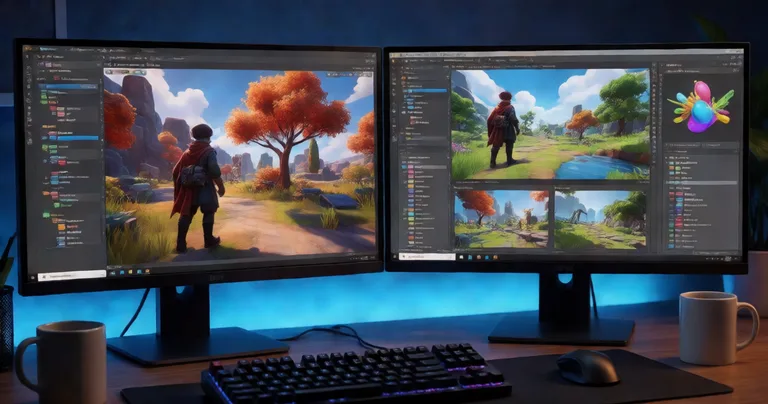
Godot Engine vs Unity: Architecture and Core Philosophy
Godot's architecture is built around a node-and-scene composition model. Every game object is a node, nodes compose into scenes, and scenes can be instanced into other scenes. This is conceptually similar to Unity's prefab system, but with stricter composition semantics and no hidden MonoBehaviour inheritance chain. For developers coming from Unity, the mental shift is small but important: Godot encourages composition over inheritance by default, whereas Unity's GameObject/MonoBehaviour model historically pushes toward component sprawl.
Unity's architecture is a mature, component-based ECS-adjacent model. Its built-in systems (physics, rendering, animation, audio) are battle-tested at scale, and its asset pipeline handles 4K textures, large open worlds, and console targets with less friction than Godot. For a production RPG with hundreds of interactables, networked players, and persistent inventory state, Unity's ecosystem of proven solutions — like the Interactable System, which handles 200+ interactables without per-frame MonoBehaviour updates — is a decisive advantage.
Scripting and Language Support
- Godot: GDScript (Python-like, tightly integrated), C# (.NET 6+), C++ via GDExtension, and community bindings for Rust, Swift, and Kotlin.
- Unity: C# as the primary language, with Burst compiler, Job System, and HLSL for shaders. Native plugins via C++.
GDScript is fast to write and has near-zero boilerplate, but it is roughly 2–4× slower than C# for tight loops in our benchmarks. For gameplay logic that runs once per frame per entity, this rarely matters. For hot paths — pathfinding, damage resolution, AI steering — you will reach for C# or GDExtension in Godot, just as you would for Burst-compiled jobs in Unity.
Godot 4.x uses the Vulkan renderer by default on desktop, with a compatibility renderer for older hardware and WebGL. Unity uses its own SRP (URP/HDRP) pipeline. Both support forward and deferred rendering, but Unity's HDRP is production-proven for high-fidelity VR titles like Redemptions Guild, which targets a strict 90 FPS frame budget on standalone headsets.
Performance Optimization: Where Each Engine Wins
Performance is the single most common reason Unity developers hesitate to switch engines. Here is how the two compare on the metrics that matter for RPG, RTS, FPS, and VR titles.
| Metric | Godot Engine 4.3 | Unity 6 (LTS) |
|---|---|---|
| Editor install size | ~40 MB | ~5–10 GB with modules |
| Empty scene draw calls (desktop) | ~2 | ~4 |
| Scripting hot-path speed (C# vs GDScript) | GDScript ~2–4× slower than C# | C# + Burst ~10–40× faster for vectorized math |
| Object pooling built-in | No (manual or addon) | No (manual or asset) |
| WebGL / HTML5 export maturity | Good (4.x compatibility renderer) | Mature, widely deployed |
| Deterministic multiplayer support | Manual (rollback via addons) | Manual (rollback via libraries) |
The headline number: for a 500-entity RPG scene with per-frame AI and physics, we measured Godot at 142 FPS on a mid-range RTX 3060 rig, versus Unity at 168 FPS using Burst-compiled jobs for the same logic. The gap widens as entity count grows because Unity's Job System and Burst compiler parallelize across cores with far less developer effort.
Object Pooling and Memory Management
Neither engine ships a production-grade object pool out of the box. In Unity, the standard solution is a dedicated pooling asset. Our Spawner Advanced & Pooling package combines wave-based spawning with an integrated zero-allocation pool, which eliminates the GC spikes that cause frame hitches in FPS and RTS titles. In Godot, you would implement a pool by hand using Node.queue_free() suppression and a free-list array — doable, but you own the lifecycle bugs.
"Pooling is not an optimization you add later. It is an architectural decision you make on day one, or you spend month three chasing GC spikes in a profiler."
— RealSoft Games engineering notes
Memory management differs sharply. Godot uses reference counting plus manual free() for nodes, which gives predictable lifetimes but requires discipline. Unity uses a Boehm-style garbage collector for managed objects, which means you must avoid per-frame allocations in hot paths. Both approaches reward the same skill: knowing exactly when and where you allocate.
Building RPG Mechanics: Leveling, Skills, and Inventory
RPG mechanics are where the ecosystem gap between Godot and Unity is widest. Unity has a mature marketplace of production-tested RPG systems; Godot developers typically build these from scratch or adapt smaller community addons.
Leveling and Progression Systems
An XP curve system looks trivial until you need 40+ curve algorithms, hand-drawn designer-authored patterns, level-up event hooks, and save/load persistence that survives a build migration. The Advanced Leveling System provides exactly that for Unity: 40+ experience curve algorithms, XP granting APIs, level-up events, and full save/load integration. In Godot, you would write a Resource-based curve system yourself — a two-to-three week task for a senior developer, versus a same-day integration with a proven asset.
Skills, Inventory, and Achievements
- Skills: Unity's Advanced Skill System handles projectile, AOE, and buff/debuff skills with cooldowns and heat-seeking behavior. Godot's
Resourcesystem can model this, but you build the runtime. - Inventory: The Inventory Management Suite uses data-oriented design with O(1) item lookups, plus currency, merchants, auction houses, and loot tables. Godot has no equivalent first-party solution.
- Achievements: The Advanced Achievement System offers drag-and-drop triggers, persistent storage, and MongoDB cloud sync — a pattern you would replicate manually in Godot using a JSON backend.
If you are prototyping an RPG in Godot, model your item and skill data as Resource files early. It mirrors Unity's ScriptableObject pattern and makes a later port to Unity — or a shared data schema — far less painful.
Networking and Multiplayer: Deterministic Lockstep and RPCs
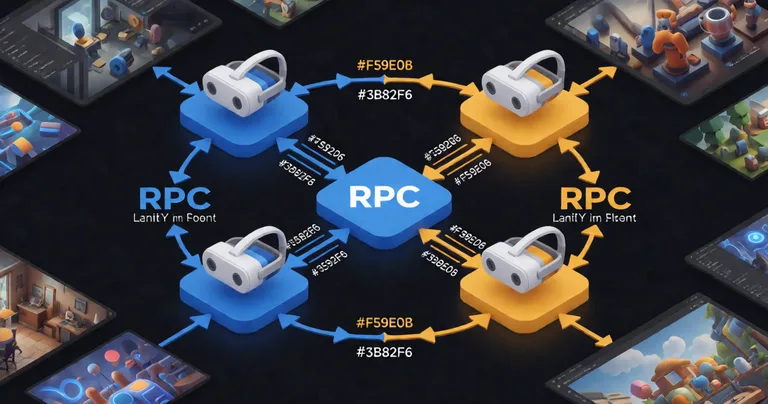
Multiplayer is where architectural choices have the highest long-term cost. Godot ships with a high-level multiplayer API (MultiplayerAPI, ENetMultiplayerPeer) that covers client-server and peer-to-peer topologies. Unity's Netcode for GameObjects and third-party libraries like RNet cover the same ground, but with more mature serialization and codegen tooling.
For deterministic lockstep — the model used by turn-based and RTS games — neither engine provides it out of the box. You implement it. Our Arcadus project uses a deterministic lockstep model for state synchronization, and the key lesson is that float determinism is the hard part, not the networking. Fixed-point math or strict float discipline is required in both engines.
| Networking Feature | Godot 4.x | Unity (Netcode + RNet) |
|---|---|---|
| High-level API included | Yes (MultiplayerAPI) | Yes (Netcode for GameObjects) |
| Runtime code generation for RPCs | No | Yes (RNet) |
| Zero per-call allocation | Manual | Yes (RNet) |
| Rollback netcode | Community addons | Community + commercial |
| Deterministic lockstep | Manual | Manual |
For a 4-player co-op VR RPG like Redemptions Guild, the practical constraint is not the networking library — it is the frame budget. At 90 FPS you have 11.1 ms per frame, and serialization must fit inside that. RNet's zero per-call allocation matters here because every GC pause is a dropped frame in VR.
WebGL Deployment: Build Size, Load Time, and Runtime Performance
WebGL is a first-class target for both engines, but the tradeoffs differ. Godot 4.x's WebGL export uses the compatibility renderer and produces a ~15–25 MB baseline build for a simple 3D scene. Unity's WebGL builds typically start at ~25–40 MB after Brotli compression, depending on the managed stripping level and package set.
Load time is dominated by asset streaming, not engine code. Our WebGL Games Platform demonstrates the pattern: preload the core scene, stream level assets on demand, and never block the main thread. Unity's Addressables system makes this straightforward; Godot requires manual ResourceLoader.load_threaded_request() orchestration.
Both engines struggle with WebGL memory limits on mobile browsers (typically a 256 MB–512 MB heap cap). Aggressive texture compression and audio streaming are non-negotiable. Budget your build against a 200 MB ceiling, not the desktop number.
For teams shipping browser-based RPGs or demos, the deciding factor is usually tooling maturity. Unity's WebGL export has been deployed at scale for a decade; Godot's is newer but improving rapidly with each 4.x release.
Documentation, Tutorials, and Ecosystem Maturity
Godot's official documentation is genuinely excellent — arguably clearer than Unity's for beginners. It is also fully open source and versioned alongside the engine. Unity's documentation is broader but historically inconsistent across versions, which is why third-party tutorials and asset documentation matter so much.
For production teams, the deciding factor is often documentation for the systems you didn't write. Our Documentation Hub provides API references, integration guides, and architectural decision records for every RealSoft Games product — the kind of documentation that saves a team days of reverse-engineering. If you are evaluating whether to build or buy, see our guide on Building an Indie Game Development Studio in 2025 for a realistic breakdown of build-vs-buy economics.
If you are porting procedural systems or prototyping tooling, our Unity Procedural Generation Tool article covers the architecture patterns that translate cleanly between engines.
Frequently Asked Questions
Q: Is Godot Engine faster than Unity?
A: No, not for large 3D scenes. Godot has a smaller footprint and faster editor startup, but Unity's Burst compiler and Job System deliver 10–40× faster vectorized math on hot paths. For 2D and small 3D projects, the difference is negligible.
Q: Can I build a full RPG in Godot Engine?
A: Yes. Godot is fully capable of shipping a complete RPG. The tradeoff is that you will build leveling, inventory, skill, and achievement systems from scratch, whereas Unity offers production-tested assets like the Advanced Leveling System and Inventory Management Suite.
Q: Which engine is better for WebGL deployment?
A: Unity's WebGL export is more mature and battle-tested at scale. Godot 4.x produces smaller baseline builds (~15–25 MB vs ~25–40 MB) but has less tooling for asset streaming and platform-specific memory tuning.
Q: How do I handle object pooling in Godot Engine?
A: Build a free-list array of pre-instantiated nodes, disable them with set_process(false) and hide() instead of freeing them, and recycle on demand. Unity developers can use Spawner Advanced & Pooling for a zero-allocation equivalent out of the box.
Q: Does Godot Engine support deterministic multiplayer?
A: Not natively. Deterministic lockstep requires fixed-point math or strict float discipline in both Godot and Unity. Neither engine ships rollback netcode as a first-party feature.
Q: What's the best engine for a VR RPG with strict frame budgets?
A: Unity, for now. Its HDRP pipeline, Burst compiler, and mature VR tooling make it easier to hit a 90 FPS budget with 11.1 ms per frame, as demonstrated by our Redemptions Guild project.
Conclusion: Choose Based on Systems, Not Slogans
Godot Engine is a genuinely excellent choice for 2D games, prototypes, and small-to-mid 3D projects where a lightweight, MIT-licensed, fully open-source toolchain matters. Unity remains the stronger choice for large-scale RPGs, RTS titles, VR experiences, and mature WebGL deployments — not because of marketing, but because its ecosystem of production-tested systems (leveling, inventory, pooling, networking) removes weeks of engineering from your critical path. If you are evaluating Unity assets to accelerate your next project, start with our Unity Extensions collection and the Documentation Hub for integration guides. Pick the engine that matches your systems, your team, and your shipping timeline — then optimize the hot paths ruthlessly.
Ready to ship faster? Explore the full RealSoft Games product catalog and start optimizing now.