
Buy Unity Assets: The Ultimate Guide for Smart Developers
To buy Unity assets effectively, you need a strategy that balances cost, quality, and long-term project scalability. The best approach is to start by identifying your game's specific needs—whether it's an object pooling system to eliminate garbage collection spikes, a robust UI icon generator, or a complete gameplay framework—and then purchasing from reputable publishers who offer well-documented, optimised, and actively supported packages. By integrating proven, pre-built solutions like RealSoft Games's curated Unity extensions, you can drastically reduce development time, avoid common coding pitfalls, and ship your game faster without reinventing the wheel.
Why You Should Buy Unity Assets Instead of Building From Scratch
The modern game development landscape is a race against time and budget. While the allure of coding everything yourself is strong, the economic reality often tells a different story. When you buy Unity assets, you're not just purchasing code; you're buying back hundreds of hours of development, testing, and debugging. A mid-level Unity developer's time is a premium resource, and spending weeks perfecting a loading screen or an achievement system can derail your entire production schedule. Purchasing a vetted asset from the Unity Asset Store or directly from a developer's site like RealSoft Games immediately injects polished, production-ready functionality into your project.
The advantages extend beyond just saving time. Assets that have been on the market for a while, especially those with high ratings and active support forums, have been battle-tested across thousands of different hardware configurations and edge cases you likely haven't even considered yet. This collective bug-fixing is something you simply cannot replicate as a solo developer or small team. Furthermore, buying assets allows you to focus your unique creative energy on what actually makes your game special—the core gameplay loop, the art style, and the narrative—rather than on boilerplate systems that players might never consciously notice but will definitely complain about if they break.
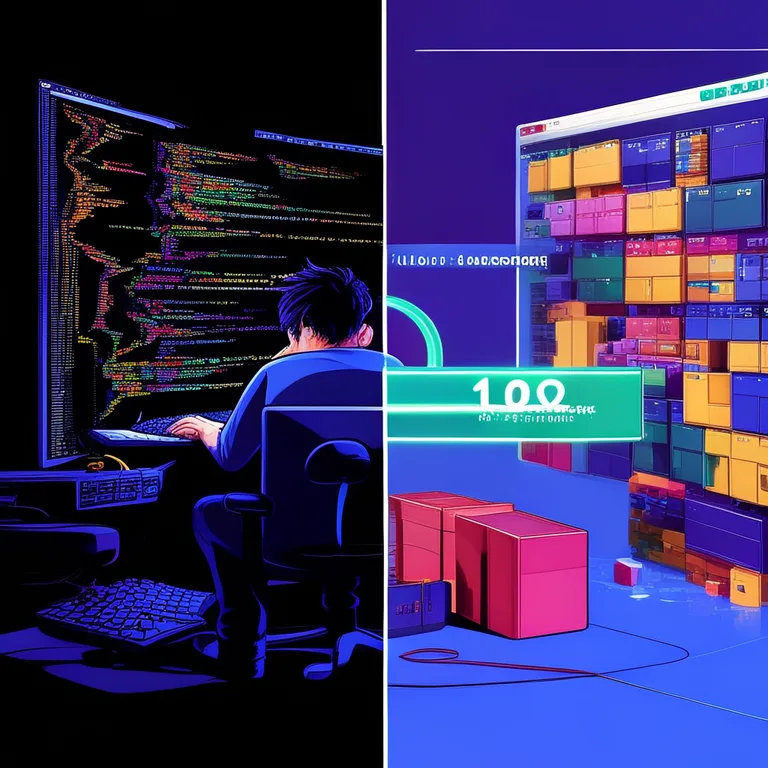
Evaluating Asset Quality Before You Buy Unity Assets
Not all assets are created equal, and the golden rule is to always perform due diligence before clicking the buy button. We've developed a systematic checklist to ensure every asset you purchase is a net positive for your project rather than a maintenance nightmare. Here's what you should look for:
- Documentation Depth: The first red flag is a lack of documentation. A publisher that invests time in comprehensive guides, like the detailed tutorials found in the Unity Extensions Tutorial section, signals a commitment to user success. Always check if there's an online manual, API reference, or video walkthrough before you buy Unity assets.
- Code Architecture: Look for assets that respect Unity's component-based architecture. Does the asset force you to inherit from bloated monobehaviours, or does it offer clean, decoupled C# classes? Good assets use namespaces to avoid scripting conflicts.
- Performance Footprint: Check reviews for mentions of performance. A beautiful visual effect is useless if it tanks your frame rate on mobile devices. The best publishers provide performance benchmarks right on their product page.
- Update History: Unity's engine is updated frequently. An asset that hasn't been updated in two years is a liability. Check the version history to see if the publisher actively maintains compatibility with the latest Unity LTS releases.
"Buying an asset isn't a cost; it's a force multiplier for your team. The real expense is building a generic system yourself when a polished, documented, and community-tested version already exists."
— Indie Game Development Mantra
Top Categories Where Buying Unity Assets Saves the Most Time
Certain game development systems are notoriously time-consuming to build robustly. These are the prime candidates where the decision to buy Unity assets yields the highest return on investment. From our experience developing titles like the open-world social simulation Virtual Sim Story: Home & Life and the VR action RPG Redemptions Guild, we've identified the most critical systems to outsource.
| Asset Category | DIY Development Time | Asset Integration Time | Key Benefit |
|---|---|---|---|
| Object Pooling & Spawning | 40-80 hours | 2-4 hours | Eliminates GC spikes, critical for mobile |
| UI & Icon Generation | 20-50 hours | 1-2 hours | Automates tedious Photoshop/Prefab workflows |
| Achievement Systems | 30-60 hours | 1-3 hours | Provides instant backend logic and UI hooks |
| Unit Selection (RTS) | 50-100 hours | 3-6 hours | Handles complex drag-select and group commands |
| Loading Screens | 15-30 hours | 0.5-1 hour | Adds polish with asynchronous scene loading |
Spawning and Pooling: The Backbone of Performance
If you've ever seen your game stutter when an enemy spawns or a bullet fires, you've encountered the dreaded Garbage Collection (GC) spike. Instantiating and destroying GameObjects is one of the most expensive operations in Unity. The solution is object pooling, and while the concept is simple, a robust implementation is not. You need to handle dynamic pool resizing, pre-warming, and complex spawn patterns. Our Spawner Advanced & Pooling product was designed to solve exactly this. Instead of writing a fragile pooling manager, developers can simply buy Unity assets like this to get a battle-tested, wave-based spawning system that handles everything from simple bullets to complex enemy armies with zero allocation per spawn.
UI Generation: From 3D Models to Icons in Seconds
Creating crisp, stylized 2D icons for your game's UI from 3D models is a painstaking process involving render textures, manual Photoshop editing, and constant re-importing. It's a massive bottleneck for UI artists. This is precisely the problem Icon Architect Studio solves. It allows you to transform any 3D model into a stunning 2D icon directly inside the Unity Editor. When you buy Unity assets like this, you eliminate the round-tripping between DCC tools and the engine, saving hours per icon. For a project like Arcadus, our modern take on Pong, having a tool to rapidly generate power-up icons from 3D meshes meant we could iterate on the visual style ten times faster than before.
Integrating Purchased Assets Into Your Existing Workflow
How do I integrate a new asset without breaking my existing codebase? This is the most common question we hear, and the answer lies in the adapter pattern and proper namespace usage. When you buy Unity assets, you should treat them as independent modules. Never directly modify the source code of a purchased asset unless absolutely necessary. Instead, write thin wrapper classes that connect the asset's API to your game's systems. This ensures that when the publisher releases an update, you can simply import the new package without manually re-patching all your changes.
A perfect example is the Advanced Leveling System. Rather than hard-coding experience points and level-up logic throughout your game, this asset provides a central, data-driven system. You can integrate it by creating a simple component on your player that listens for the asset's OnLevelUp events and triggers your own custom effects—like playing a particle system or updating a UI bar. This loose coupling is the key to maintaining a clean project architecture. For developers building complex strategy games, the Unit Selection package offers a similar modular approach, providing a drag-and-drop prefab for RTS-style selection that doesn't intrude on your unit's core logic.
| Integration Strategy | Risk Level | Maintainability | Best For |
|---|---|---|---|
| Direct Source Modification | High | Poor | Small, single-use scripts only |
| Wrapper/Adapter Classes | Low | Excellent | Core systems like leveling, pooling, achievements |
| Event-Driven Decoupling | Low | Excellent | UI updates, achievement triggers, loading screens |
| Custom Editor Scripts | Medium | Good | Automating asset setup for level designers |
Always commit your project to version control before importing a new asset. This allows you to instantly revert if something goes wrong. We also recommend using a dedicated folder structure (e.g., Assets/_PurchasedAssets/PublisherName/AssetName) to keep your project organized and make it easy to exclude asset source code from your own code coverage reports.
Where to Buy Unity Assets: Store vs. Direct Publisher
The Unity Asset Store is the default marketplace for most developers, and for good reason. It offers a unified interface, user reviews, and a degree of buyer protection. However, buying directly from a publisher's own site is becoming an increasingly attractive option. When you buy Unity assets directly from a developer portal like RealSoft Games, you often get access to exclusive benefits that aren't available on the general marketplace. These can include direct support channels, early access to updates, supplementary documentation, and community forums where you can discuss specific use cases with the developers themselves.
For instance, the comprehensive documentation for our extensions, including the Unity Extensions API Reference, is hosted on our own site, providing a depth of technical detail that often exceeds what's feasible on a marketplace listing page. Additionally, direct purchases can sometimes mean a higher revenue share for the developer, which directly incentivizes them to provide better, more frequent updates and dedicated support for the tools you rely on. When evaluating where to buy Unity assets, consider the long-term relationship, not just the initial sticker price.
Maximising ROI: The Long-Term Benefits of Premium Assets
The decision to buy Unity assets is an investment in your project's future. A premium loading screen solution like Advanced Loading Screen doesn't just display a progress bar; it manages asynchronous scene activation, handles activation delays for lighting precomputation, and provides a seamless transition that makes your game feel polished and professional. This level of polish directly impacts user reviews and retention. Similarly, the Advanced Achievement System provides a drag-and-drop solution that hooks into platforms like Steam and Google Play, turning a complex integration task into a few clicks.
We've applied this philosophy across all our projects. For the networking layer of RNet, our innovative networking library, we relied on a foundation of well-architected, purchased low-level socket utilities to accelerate the initial prototype. This allowed us to focus our innovation on the reliable communication protocols rather than the boilerplate. Whether you're building a hyper-casual mobile game or a complex VR experience, the principle remains the same: reserve your team's brainpower for the unique challenges that define your game, and buy Unity assets to handle the rest with proven excellence.
A 2023 survey of over 2,000 Unity developers indicated that teams who strategically purchased assets for non-core gameplay systems reported a 35% reduction in time-to-prototype and a 28% decrease in bug reports related to those systems, compared to teams who built everything in-house.
Frequently Asked Questions About Buying Unity Assets
Q: Is it safe to buy Unity assets from outside the official Asset Store?
A: Yes, buying directly from established publishers like RealSoft Games is safe and often beneficial. Always ensure the site uses secure payment processing (HTTPS) and check for clear refund policies. You typically receive the same .unitypackage files, but with the added benefit of direct publisher support and more detailed documentation, such as the Unity Extensions Documentation library.
Q: How do I know if a Unity asset will work with my current project version?
A: Always check the asset's description for the minimum required Unity version. Reputable publishers test their assets against the latest Unity LTS releases and clearly state compatibility. For technical assets, reviewing the API reference and integration guides, like the Unit Selection Integration Guide, can reveal how deeply the asset is coupled to specific Unity APIs.
Q: Can I use bought Unity assets in multiple projects?
A: This depends entirely on the license. Most standard licenses on the Unity Asset Store and direct publisher sites grant you a single-seat, multi-project license. This means you, as an individual developer, can use the asset in as many of your own projects as you like. However, you cannot share the asset with other team members unless you purchase a multi-seat or studio license.
Q: What's the best way to report a bug in an asset I bought?
A: The most effective route is usually through the publisher's direct support channel. While the Asset Store has a review and comment section, a direct email to the developer or a post on their dedicated support forum will almost always yield a faster, more constructive response. When you buy Unity assets from a publisher's own site, you're often prioritized in their support queue.
Q: How do I get started with a complex asset like a spawning system?
A: Start with the official tutorial. For example, if you've acquired a tool like Spawner Advanced & Pooling, walk through the step-by-step guides provided. The Unity Extensions Tutorial page hosts a variety of walkthroughs designed to get you from zero to a fully functional implementation in under an hour, showing you how to set up pools, configure wave patterns, and hook into spawn events.
Q: Are there assets specifically for mobile game development?
A: Absolutely. Performance is critical on mobile, so assets focusing on object pooling, efficient UI, and lightweight leveling systems are invaluable. Always look for assets that advertise mobile optimization or provide benchmarks. Our Advanced Loading Screen, for instance, is designed to be as lightweight as possible, ensuring fast scene transitions even on lower-end Android and iOS devices.
The decision to buy Unity assets is one of the most impactful strategic moves you can make as a game developer. It's about shifting your focus from the mundane to the magnificent, from debugging a generic achievement system to crafting the epic boss fight that players will remember. Whether you need a robust unit selection system for your RTS, a streamlined icon creation pipeline, or a performance-saving object pooler, the ecosystem of professional Unity tools has you covered. Explore the full range of developer-focused solutions at RealSoft Games and start building smarter, not harder, today.