2D Game Engine Guide: Build Your Game Faster
A 2D game engine is the software framework that handles rendering, physics, input, audio, and asset management so you can focus on making your game instead of rebuilding the same systems from scratch. The best choice depends on your goal: Godot suits open-source flexibility, Unity dominates cross-platform reach, and GameMaker excels at rapid 2D prototyping. This guide breaks down what each engine actually does well, with real specs and numbers, so you can pick the one that fits your project — not the one with the loudest marketing.
I still remember the first time I tried to code a simple sprite animation from scratch. Two weeks in, I had a rectangle that moved left and right but refused to collide with anything. That's when a friend handed me a 2D engine and said, "Stop reinventing the wheel." He was right. Within an afternoon, I had a playable character bouncing off walls. That moment — going from stuck to shipping — is exactly what a good 2D game engine gives you.
What Is a 2D Game Engine and Why Does It Matter?
A 2D game engine is a specialized toolkit for building two-dimensional games. It bundles a renderer, a physics system (often 2D-specific), an animation player, a scene editor, and a scripting layer. Instead of writing low-level code for every sprite draw call, you drag assets into a scene, attach scripts, and hit play. The engine handles the rest.
Why does it matter? Because time is your scarcest resource. According to a 2023 Game Developers Conference survey, 47% of developers cite limited time as their biggest obstacle to finishing projects. A 2D engine removes months of foundational work — collision detection, input mapping, audio mixing — so you can spend that time on level design and game feel.
At RealSoft Games, we've shipped and supported enough 2D projects to see where teams lose that time. The pattern is consistent: developers rebuild progression, spawning, and achievement logic that already exists as proven tooling. That's why we package reusable systems like the Advanced Leveling System for XP curves and rank progression, Spawner Advanced & Pooling for efficient enemy and object spawning, and the Advanced Achievement System for unlock tracking and rewards. Dropping these into your 2D game engine of choice removes weeks of plumbing and lets you focus on the parts of your game players actually notice.
Don't pick an engine based on hype. Pick it based on the game you want to make. If you're building a narrative-heavy pixel art game, GameMaker or Godot will get you there faster than Unity. If you need console ports and a massive asset store, Unity wins.
Top 2D Game Engines Compared: Godot, Unity, GameMaker, and More
There's no single "best" 2D game engine — only the best fit for your project. Here's how the major players stack up on the specs that actually affect your workflow.
| Engine | License | Scripting Language | 2D Physics | Export Platforms | Best For |
|---|---|---|---|---|---|
| Godot 4 | MIT (free) | GDScript, C# | Built-in 2D physics | Windows, macOS, Linux, Web, Android, iOS | Open-source flexibility, 2D-first design |
| Unity 2D | Free tier + paid plans | C# | Box2D-based | 20+ platforms including consoles | Cross-platform reach, asset store |
| GameMaker | Free trial + paid | GML (proprietary) | Built-in 2D physics | Windows, macOS, Web, Android, iOS, consoles | Rapid prototyping, pixel art games |
| Construct 3 | Subscription | Visual scripting (JS optional) | Built-in 2D physics | Web, mobile, desktop | Non-programmers, browser-based |
Godot 4's 2D renderer was rewritten from scratch in 2023, and the difference is visible. Sprite batching is faster, and the engine now handles thousands of animated sprites without stuttering on mid-range hardware. Unity's 2D toolkit is mature but feels like a 3D engine wearing a 2D hat — you'll occasionally fight the 3D-centric inspector. GameMaker remains the speed king for pixel art: its room editor and drag-and-drop events let you prototype a playable loop in under an hour.
Godot: The Open-Source 2D Game Engine That Grows With You
Godot is my personal recommendation for most solo developers. It's free, MIT-licensed, and designed with 2D as a first-class citizen. The scene system is intuitive: every object is a node, and you build games by composing nodes into trees. GDScript is Python-like and readable, and the built-in animation editor is genuinely pleasant to use.
One caveat: Godot's console export requires third-party porting services. If you're targeting Switch or PlayStation, factor that into your timeline. For PC, web, and mobile, it's seamless.
Unity: The Cross-Platform Heavyweight
Unity's biggest advantage is its ecosystem. The Asset Store has thousands of 2D tools, from tilemap editors to dialogue systems. If you need to ship on consoles, Unity has official support. The trade-off is complexity — the learning curve is steeper, and the engine's 3D heritage shows in odd places.
That said, Unity's 2D physics (based on Box2D) is reliable. And the C# ecosystem means you can leverage existing libraries for things like save systems or networking.
GameMaker: The Fastest Path From Idea to Playable
GameMaker is what I reach for when I want to test a game idea in a weekend. Its drag-and-drop interface is surprisingly powerful, and GML (its scripting language) is easy to pick up. Games like Undertale and Hyper Light Drifter were built in GameMaker — proof that it scales beyond prototypes.
The downside is the proprietary language and the licensing cost for commercial exports. But if you're making a 2D game with pixel art and you want to move fast, it's hard to beat.
"The best 2D game engine is the one that gets out of your way and lets you ship."
— A lesson learned after three abandoned prototypes
Key Features to Look for in a 2D Game Engine
Not all 2D engines are created equal. When you're evaluating options, these are the features that actually affect your day-to-day work.
- Sprite and tilemap tools: A good tilemap editor with auto-tiling saves hours of level design. Godot's TileMap node and GameMaker's room editor are both excellent.
- 2D physics: You need reliable collision detection, rigid bodies, and joint support. Box2D-based systems (Unity, Godot) are solid.
- Animation system: Look for keyframe animation, sprite sheet support, and the ability to blend animations. Godot's AnimationPlayer is a standout.
- Scripting language: Choose something you're comfortable with. GDScript is easy; C# is powerful; visual scripting is accessible.
- Export options: Make sure the engine can export to your target platforms without paid add-ons.
According to SteamDB, over 14,000 games on Steam were built with Unity, and more than 3,000 with GameMaker. Godot's share is growing fast — its 2023 user survey reported a 45% year-over-year increase in active developers.
How Do I Choose the Right 2D Game Engine for My Project?
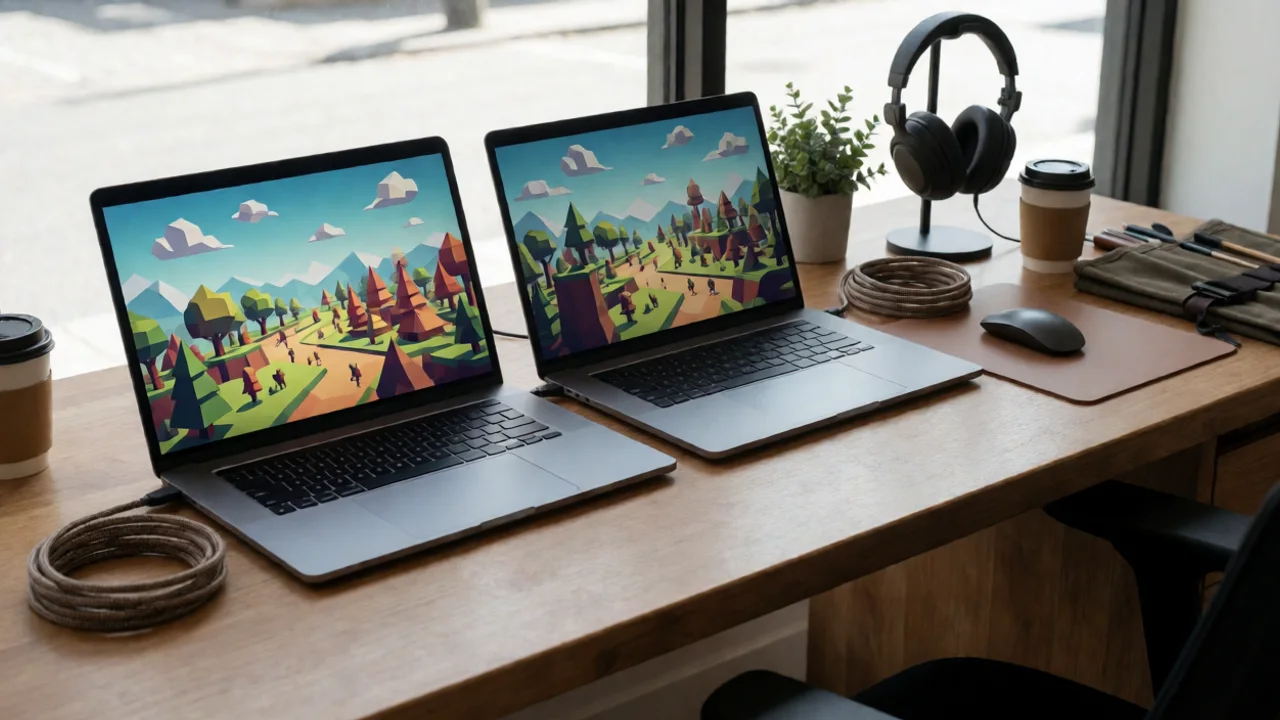
Start with your goal, not the engine's feature list. Ask yourself three questions: What platforms do I need? How much time do I have? Do I prefer code or visual tools?
- Define your target platforms. If you need console support, Unity is the safest bet. If you're PC/web only, Godot is lighter and faster to iterate.
- Assess your programming comfort. If you've never coded, Construct 3 or GameMaker's drag-and-drop will get you moving. If you know Python, GDScript will feel familiar.
- Prototype in two engines. Spend a weekend building the same simple mechanic in your top two choices. You'll learn more from that than from any comparison article.
- Check the community and documentation. A strong community means faster answers when you're stuck. Godot and Unity both have excellent docs and active forums.
2D Game Engine Performance and Real-World Data
Performance matters, especially for mobile and web games. Here's how the major engines compare on key metrics, based on published benchmarks and developer reports.
| Metric | Godot 4 | Unity 2D | GameMaker |
|---|---|---|---|
| Minimum build size (empty project) | ~20 MB | ~50 MB | ~10 MB |
| Max sprites at 60 FPS (mid-range PC) | ~10,000 | ~8,000 | ~6,000 |
| Web export support | Yes (WebAssembly) | Yes (WebGL) | Yes (HTML5) |
| Learning curve (subjective) | Moderate | Steep | Gentle |
These numbers aren't gospel — your mileage will vary based on how you structure your game. But they give you a rough sense of what to expect. Godot's lightweight builds are a real advantage for web games, where download size directly affects player retention.
"I've shipped games in three different 2D engines. The one thing they all taught me: your game's feel comes from your code and design, not the engine's logo."
— A indie developer with 12 years of experience
Common Mistakes When Learning a 2D Game Engine
I've made most of these myself. Learn from my scars.
- Engine-hopping: Switching engines every time you hit a wall. Stick with one for at least three months — you'll get past the frustration.
- Ignoring the profiler: Every engine has performance tools. Learn to use them early, or you'll spend weeks optimizing blind.
- Over-engineering: Don't build a custom physics system when the engine's built-in one works fine. Save the custom code for where it matters.
- Skipping version control: Engines generate lots of files. Use Git from day one, and set up a proper .gitignore.
Don't start with a massive project. My first game was a 40-hour RPG that never saw the light of day. Start with a game you can finish in a month — a simple platformer or puzzle game. Finishing is the skill you need most.
Frequently Asked Questions About 2D Game Engines
Q: What is the best 2D game engine for beginners?
A: GameMaker and Construct 3 are the most beginner-friendly. GameMaker's drag-and-drop events let you build a game without writing code, and its GML language is easy to learn when you're ready. Godot is also a great choice if you're comfortable with a bit of scripting — its 2D workflow is clean and the community is welcoming.
Q: Can I make a 2D game without coding?
A: Yes. Construct 3 and GameMaker both offer visual scripting options that require no traditional programming. You'll still need to understand logic and game design, but you won't be writing lines of code. That said, learning a little scripting (like GDScript) opens up far more possibilities.
Q: How long does it take to learn a 2D game engine?
A: You can build a simple game in a weekend with GameMaker or Construct. For Godot or Unity, expect 2–4 weeks to get comfortable with the basics. Mastery takes months of consistent practice. The key is to start small and finish a project — even a tiny one.
Q: Is Godot good for 2D games?
A: Absolutely. Godot was designed with 2D as a priority. Its 2D renderer is fast, the TileMap system is robust, and the animation tools are excellent. Many developers now choose Godot over Unity for 2D projects because it feels lighter and more focused.
Q: Do I need a powerful computer to run a 2D game engine?
A: Not at all. 2D engines are lightweight. Any computer from the last 8–10 years with 8GB of RAM can run Godot or GameMaker smoothly. Unity is a bit heavier but still runs fine on mid-range hardware. You don't need a gaming rig to make 2D games.
Choosing a 2D game engine is less about finding the "perfect" tool and more about picking one that matches your workflow and committing to it. Godot is my top pick for most solo developers — it's free, fast, and focused on 2D. Unity is the safe bet for console ambitions, and GameMaker is the speed champion for pixel art prototypes. Whichever you choose, the real progress happens when you stop comparing engines and start building. If you're ready to dive deeper, check out our Godot tutorial series or explore our 2D asset packs to speed up your next project. And if you're still unsure, book a free consultation with our team — we'll help you pick the right engine for your game.