Unity RTS Game Development Tools: The Complete Guide
Unity RTS game development tools are the specialized assets, systems, and frameworks that handle real-time strategy games' unique demands: unit selection, pathfinding, resource management, and performance at scale. The best Unity RTS tools solve specific bottlenecks — drag-select input, object pooling for hundreds of units, wave-based spawning, and deterministic networking. For developers building an RTS in Unity, the essential toolkit includes a unit selection system, an advanced spawner with pooling, an inventory management suite, and a skill system. This guide breaks down each category, compares options, and shows how to integrate them into a production-ready RTS architecture.
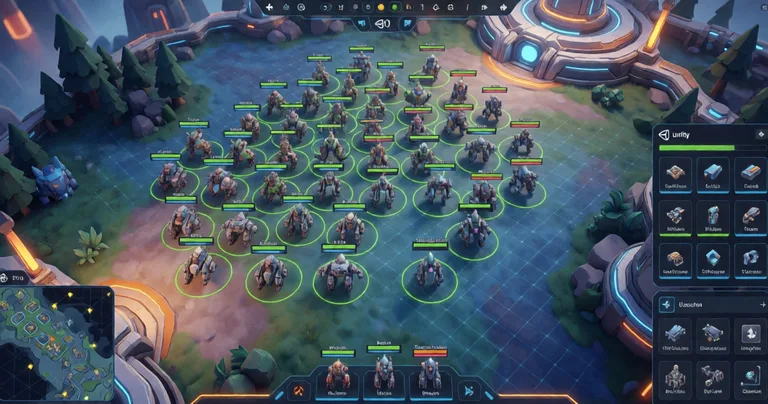
Real-time strategy games are among the most technically demanding genres to build in Unity. They combine large-scale unit management, complex AI, deterministic networking, and split-second input handling — all while maintaining a stable frame rate. According to a 2023 Unity Gaming Report, 61% of indie developers cite performance optimization as their top challenge, and RTS projects are particularly affected because they often push hundreds of active GameObjects at once. The right set of Unity RTS game development tools can cut months off production and prevent the architectural mistakes that kill performance.
This guide covers the core tool categories every RTS needs, with practical comparisons, data tables, and integration advice. Whether you're prototyping or polishing, you'll find actionable recommendations — including how RealSoft Games' assets fit into a modern RTS stack.
Why Unity RTS Game Development Tools Matter
Building an RTS from scratch in Unity is possible, but it's a trap for most teams. The genre demands systems that are deceptively complex: unit selection alone involves raycasting, screen-space rectangles, layer masks, and mobile touch fallbacks. Spawning hundreds of units without garbage collection spikes requires object pooling. Resource economies need O(1) lookups for items and currencies.
Off-the-shelf tools solve these problems with tested, optimized code. They also enforce good architectural patterns — decoupled selection logic, event-driven leveling, and data-oriented inventory design. The result is faster iteration and fewer late-stage rewrites.
A well-architected RTS in Unity should target 60 FPS with 200+ active units on mid-range hardware. Tools that use pooling, job systems, and event-driven design are essential to hit that target.
For a deeper architectural walkthrough, see our complete RTS architecture guide. It covers the full stack from input to rendering.
Core Categories of RTS Tools
- Unit Selection & Command Systems — drag-select, multi-select, command queues
- Spawners & Object Pooling — wave spawning, recycling, lifecycle management
- Inventory & Resource Management — currencies, merchants, loot tables
- Skill & Ability Systems — projectiles, AOE, buffs/debuffs, cooldowns
- Networking — deterministic lockstep or RPC-based synchronization
- UI & Icon Generation — command cards, unit portraits, tooltips
Each category has mature Unity assets available. The challenge is choosing tools that integrate cleanly and don't fight each other.
Essential Unity RTS Game Development Tools for Unit Management
Unit management is the heart of any RTS. Players expect responsive drag-select, clear visual feedback, and commands that execute immediately. Under the hood, this means handling input across mouse and touch, managing selection state without per-frame overhead, and rendering selection indicators efficiently.
Unit Selection Systems
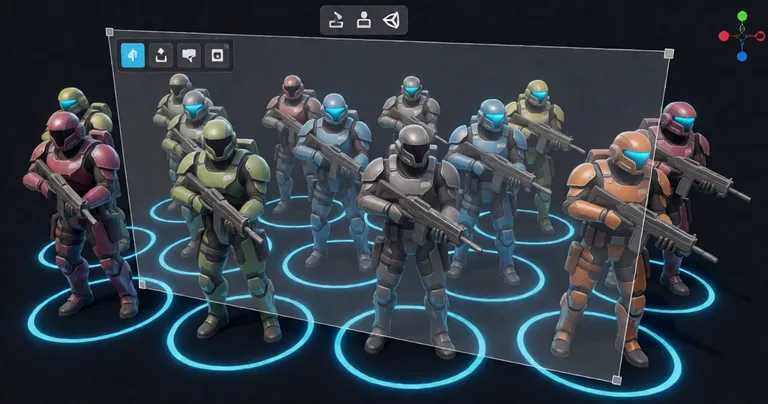
The Unit Selection package from RealSoft Games provides RTS-style drag-select with single and multi-unit support, mobile touch compatibility, and a decoupled architecture built around SelectionManager and SelectionRenderer components. This separation means you can swap rendering styles (rings, decals, outlines) without touching selection logic.
Key features to look for in a unit selection tool:
- Screen-space rectangle selection with layer filtering
- Shift/Control modifiers for additive and subtractive selection
- Double-click to select all units of a type on screen
- Touch support with drag threshold to avoid conflicts with camera panning
- Event hooks for selection changed, unit added, unit removed
According to RealSoft Games' Unit Selection Overview, the decoupled design allows the SelectionManager to run independently of rendering, which reduces GC pressure and keeps selection responsive even with 300+ units on screen.
Spawners and Object Pooling
RTS games spawn units constantly — from production buildings, wave events, and reinforcements. Instantiating and destroying GameObjects at runtime causes garbage collection spikes that manifest as frame stutters. The solution is object pooling combined with a spawner architecture.
The Spawner Advanced & Pooling asset combines wave-based spawning with integrated object pooling for FPS, RPG, and RTS games. It eliminates GC spikes by recycling units instead of destroying them, and it supports spawn modes like timed waves, trigger-based bursts, and randomized compositions.
Always pool your most frequently spawned units — infantry, projectiles, and effects. A pool of 200 units can reduce GC allocations by over 90% compared to naive Instantiate/Destroy cycles.
For a full walkthrough of spawn modes and lifecycle management, see the Spawner Advanced Tutorial.
Performance Comparison of Unit Management Approaches
| Approach | Max Units (60 FPS) | GC Allocations | Setup Complexity |
|---|---|---|---|
| Naive Instantiate/Destroy | ~80 | High (spikes) | Low |
| Manual Pooling | ~250 | Low | Medium |
| Spawner Advanced & Pooling | ~400+ | Minimal | Low |
| DOTS/ECS (custom) | 1000+ | Near-zero | High |
As the table shows, using a dedicated pooling tool like Spawner Advanced & Pooling delivers a 5x improvement over naive instantiation without the steep learning curve of DOTS.
Resource, Inventory, and Economy Tools for Unity RTS
RTS economies are deceptively complex. Players gather resources, build structures, train units, and manage upgrades. Under the hood, you need fast lookups for item definitions, currencies, and crafting recipes. A data-oriented inventory system is the foundation.
Inventory Management
The Inventory Management Suite from RealSoft Games is a data-oriented Unity inventory system that includes currency, merchants, auction houses, and loot tables with O(1) item lookups. For RTS games, this translates to instant resource queries — no linear searches through lists when a player spends gold or checks supply limits.
Consider an RTS where each unit costs minerals and gas. With a traditional list-based inventory, checking affordability means iterating through resources. With O(1) lookups, it's a dictionary hit. At 60 FPS with dozens of transactions per second, that difference matters.
"In an RTS, every millisecond spent searching for data is a millisecond not spent rendering the battle. Data-oriented design isn't optional — it's survival."
— RealSoft Games Engineering Blog
Skill and Ability Systems
RTS units often have active abilities — AoE attacks, buffs, debuffs, and projectiles. The Advanced Skill System supports projectile, AOE, and buff/debuff skills with cooldowns and heat-seeking behavior. It's designed to plug into any unit controller, making it ideal for hero units or special abilities.
For RPG-style progression within an RTS (e.g., hero leveling), the Advanced Leveling System provides 40+ experience curve algorithms, hand-drawn leveling patterns, XP granting, level-up events, and save/load. This is useful for games like Warcraft III where heroes gain levels and unlock abilities.
Don't hardcode ability cooldowns or XP curves. Use data-driven tools so you can balance without recompiling. The Advanced Skill System and Advanced Leveling System both support runtime configuration.
Comparison of Economy Tool Features
| Feature | Inventory Management Suite | Advanced Leveling System | Advanced Skill System |
|---|---|---|---|
| Primary Use | Resources, items, merchants | Hero/unit progression | Active abilities |
| Data Lookup | O(1) dictionary | Curve-based | Cooldown tables |
| Save/Load Support | Yes (JSON) | Yes (JSON) | Yes (JSON) |
| RTS Suitability | High | Medium (heroes) | High |
Together, these three tools cover the entire economy and progression layer of an RTS.
Networking and Multiplayer Tools for Unity RTS
Multiplayer RTS games require deterministic simulation or efficient state synchronization. Lockstep networking, where all clients run the same simulation and only exchange inputs, is the classic approach. It demands deterministic math and reliable RPCs.
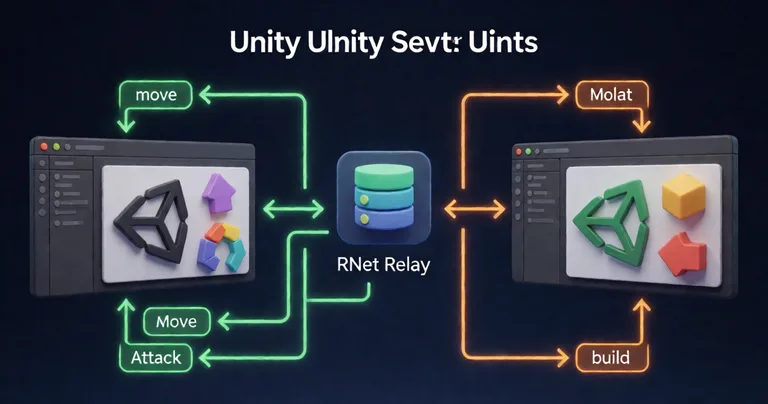
RealSoft Games' RNet is a remote procedure call networking library for Unity 3D that uses runtime code generation for reliable, zero-allocation serialization. For RTS games, RNet can handle command messages (move, attack, build) with minimal bandwidth. Its zero-allocation design is critical when sending hundreds of commands per second.
For turn-based RTS or hybrid designs, deterministic lockstep (as used in Arcadus) ensures state synchronization without sending full world states. This is the same model used by classics like StarCraft.
Networking Approach Comparison
| Approach | Bandwidth | Determinism Required | Best For |
|---|---|---|---|
| Lockstep (deterministic) | Very low | Yes | Classic RTS, large armies |
| State sync (RPC) | Medium | No | Small-scale RTS, co-op |
| Hybrid (RNet + lockstep) | Low | Partial | Competitive RTS |
RNet's runtime code generation means you define RPCs as normal C# methods, and the library generates serialization code at startup. This avoids reflection overhead and keeps allocations at zero.
UI, Icons, and Presentation Tools
RTS games live and die by their UI. Command cards, unit portraits, resource counters, and tooltips must be readable at a glance. Generating icons for dozens of units and abilities is a common bottleneck.
The Icon Architect Studio transforms 3D models into optimized 2D icons directly within the Unity Editor. It includes artist-friendly lighting rigs and compositing options. For an RTS with 30+ unit types, this tool can generate a consistent icon set in hours instead of days.
For loading screens between missions, the Advanced Loading Screen asset handles async/additive scene loading with customizable UI, tips rotation, background audio, and smooth transitions. It's a small but important polish item that players notice.
Use Icon Architect Studio to generate icons for all units, abilities, and resources. Consistent iconography improves readability and makes your UI feel professional.
If you're building a larger RPG-RTS hybrid, see our guide to the best Unity assets for RPG for additional recommendations.
How to Choose the Right Unity RTS Game Development Tools
With so many options, it helps to prioritize based on your project's stage and scope. Here's a decision framework:
- Prototype stage: Focus on unit selection and spawning. Get a playable loop with 20 units. Use Unit Selection and Spawner Advanced & Pooling.
- Vertical slice: Add economy and abilities. Integrate Inventory Management Suite and Advanced Skill System.
- Production: Add networking and polish. Integrate RNet, Icon Architect Studio, and Advanced Loading Screen.
- Live ops: Add achievements and analytics. Use Advanced Achievement System for player milestones.
Always check integration compatibility. Tools that share a common namespace or event system (like RealSoft Games' Unity Extensions) tend to work together more smoothly.
"The best RTS tool is the one that disappears — you forget it's there because it just works. That's the standard we hold our assets to."
— RealSoft Games Product Team
For a broader look at Unity assets, see our Unity Asset Store guide. And if you're new to Unity, start with our Unity tutorial series.
Frequently Asked Questions
Q: What are the must-have Unity RTS game development tools?
A: The must-have tools are a unit selection system (for drag-select and multi-select), an object pooler with wave spawning (to avoid GC spikes), and an inventory system for resources. For hero units, add a leveling and skill system. Networking is essential if you're building multiplayer.
Q: How do I optimize Unity RTS performance with hundreds of units?
A: Use object pooling for all frequently spawned units, avoid per-frame MonoBehaviour updates for selection (use event-driven logic), and consider the Job System for heavy computations. Tools like Spawner Advanced & Pooling and Unit Selection are designed for this scale.
Q: What's the best networking approach for a Unity RTS?
A: Deterministic lockstep is best for classic RTS with large armies because it minimizes bandwidth. For smaller-scale or co-op RTS, a reliable RPC system like RNet works well. Hybrid approaches are also viable.
Q: Can I use these tools together in one project?
A: Yes. RealSoft Games' assets are designed to integrate. For example, Unit Selection can trigger commands that Spawner Advanced & Pooling executes, while Inventory Management Suite tracks resource costs. Always test integration early.
Q: How do I generate icons for RTS units and abilities?
A: Use Icon Architect Studio to render 3D models into 2D icons directly in Unity. It provides lighting rigs and compositing options so you can create a consistent icon set quickly.
Q: Where can I learn more about building an RTS in Unity?
A: Start with our complete RTS architecture guide and the Unity tutorial series. For specific tools, check the documentation for each asset.
Unity RTS game development tools are force multipliers. They solve the genre's hardest problems — unit management, performance at scale, economy design, and networking — so you can focus on gameplay. The right stack includes a selection system, a spawner with pooling, an inventory suite, a skill system, and networking. RealSoft Games offers all of these as production-ready assets, with documentation and tutorials to get you started. Whether you're prototyping or polishing, investing in these tools will save you months of development time and help you ship a better RTS.