GitHub Copilot for Unity Game Dev: AI C# Workflow Guide
GitHub Copilot for Unity Game Dev: AI C# Workflow Guide
GitHub Copilot for Unity game development is an AI pair programmer that generates C# scripts, architecture patterns, and boilerplate directly inside your IDE, cutting routine coding time by 30–55% on gameplay systems. For Unity developers, it means faster MonoBehaviour scaffolding, safer refactors, and instant access to design patterns — but it requires disciplined prompting, strict code review, and awareness of its limits with runtime behavior, asset serialization, and multiplayer determinism.
If you are evaluating how AI-assisted coding fits a production Unity pipeline, the short answer is this: Copilot is a force multiplier for boilerplate and pattern recall, not a replacement for architectural judgment. Treat it as a junior engineer who has memorized every public C# repository on GitHub — fast, tireless, occasionally confident and wrong.
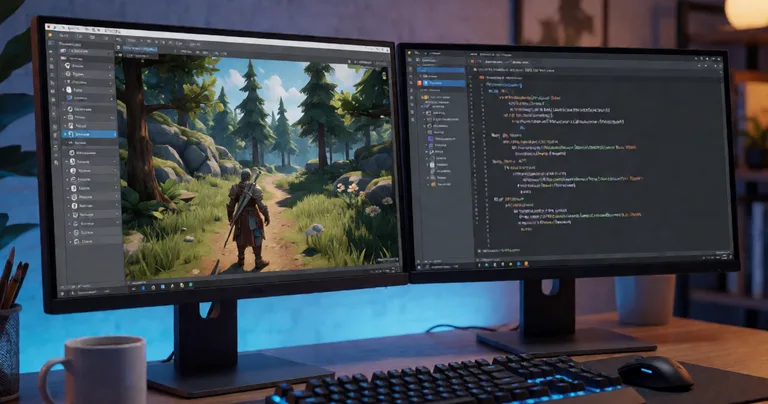
Why GitHub Copilot Changes Unity C# Scripting Workflow
Unity development has a specific texture that differs from general software engineering: short-lived MonoBehaviours, serialized fields, editor tooling, and tight frame budgets. Copilot's training data includes a massive volume of Unity C# — from open-source assets to tutorial repos — which makes it unusually effective for the domain.
In practice, Copilot accelerates three categories of work:
- Boilerplate generation — OnEnable/OnDisable lifecycle pairs, event subscription patterns, and null-guarded property accessors.
- Pattern recall — Object pooling, state machines, observer/event bus wiring, and command patterns without leaving the editor.
- Refactor assistance — Rename propagation, interface extraction, and converting monolithic Update loops into component-based systems.
What it does not do: profile your game, reason about GC pressure across frames, or understand your scene hierarchy at runtime. That remains your job — and it is where the real performance wins live.
Write a 3–5 line comment block above the class describing intent, constraints, and performance requirements (e.g., "zero allocations per frame, struct-based"). Copilot's suggestions improve dramatically when the problem statement is explicit.
Where Copilot Fits in a Production Unity Pipeline
On teams shipping RPGs, RTS, FPS, or VR titles, Copilot slots cleanly into three phases:
- Prototyping — Generate throwaway systems to validate mechanics in hours, not days.
- System authoring — Scaffold production classes that follow your studio's conventions.
- Maintenance — Explain unfamiliar third-party code and suggest safe integration points.
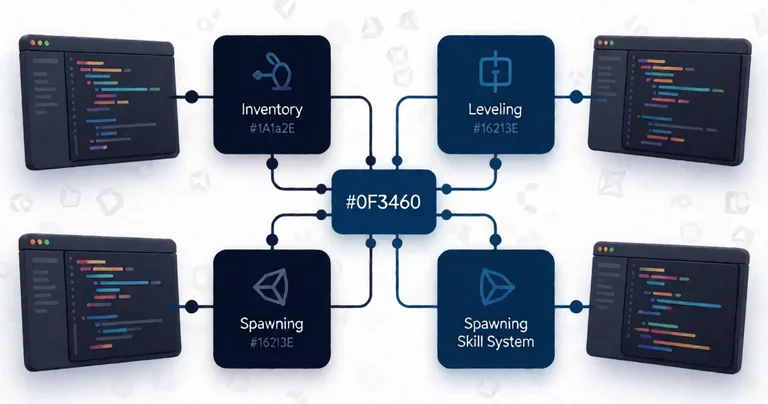
For teams already using battle-tested systems — like the Inventory Management Suite with its O(1) item lookups or the Spawner Advanced & Pooling architecture — Copilot becomes a wiring assistant rather than an inventor. It connects your existing modules faster.
GitHub Copilot Performance Optimization for Unity Game Development
Performance is where Copilot helps and hurts in equal measure. It will happily generate code that allocates every frame if you do not steer it. The trick is to constrain the prompt and review the output against a fixed checklist.
Zero-Allocation Core Loops
Ask Copilot for a per-frame update loop and it will typically produce LINQ, foreach over interfaces, and string concatenation. All three allocate. Instead, prompt for the pattern explicitly:
- "Use for-loops over arrays, not foreach over IEnumerable."
- "Cache component references in Awake, never call GetComponent in Update."
- "Use NonAlloc physics queries and pre-sized collections."
This is exactly the discipline behind modules like Interactable System, which handles 200+ interactables through the Unity Job System without per-frame MonoBehaviour updates. That architecture is not something Copilot will invent for you — but it will help you implement it consistently once the pattern is set.
Profiling-Driven Refactors
Copilot is excellent at mechanical refactors once you have profiler data. Paste a hot method and ask for a struct-based rewrite, or request a Burst-compatible version that avoids managed allocations. The output still needs validation in the Profiler, but the first draft arrives in seconds.
| Optimization Task | Copilot Effectiveness | Human Review Required |
|---|---|---|
| Struct-based data layout | High | Medium — verify cache locality |
| Removing LINQ from hot paths | High | Low |
| Job System conversion | Medium | High — race conditions |
| GC pressure diagnosis | Low | High — requires Profiler |
| Multiplayer determinism | Low | Critical — must be verified |
"Copilot writes the first 80% of your code in seconds — your job is to own the last 20% that determines whether the game ships."
— RealSoft Games engineering principle
Modular Game Systems and Design Patterns with AI Assistance
Modular architecture is where Copilot delivers the highest return. If your studio has a house style — ScriptableObject-driven configs, interface-based services, event bus decoupling — you can encode it in a style guide and let Copilot generate consistent scaffolding across dozens of systems.
Patterns Copilot Handles Well
- State machines — Enum-based or class-based, including transition tables.
- Object pooling — Generic pool implementations with warm-up and reset hooks.
- Observer/event buses — Type-safe event channels using generics.
- Command pattern — Undo/redo stacks for editor tooling.
- Strategy pattern — Swappable AI behaviors or damage formulas.
Patterns That Require Human Design
Copilot struggles with cross-system contracts. Serialization boundaries, save/load versioning, and networked state sync need explicit design. For example, the Advanced Leveling System ships with 40+ experience curve algorithms and save/load integration — Copilot can help you extend the curve set, but the persistence contract is a human decision.
If you are new to Unity's asset ecosystem, our guide on Unity assets for game developers covers the evaluation criteria — source access, documentation quality, and update cadence — that matter when pairing third-party systems with AI-generated code.
Asset Integration and Workflow Automation
Copilot is underused for editor tooling. Custom inspectors, asset postprocessors, and build pipeline hooks are repetitive by nature and benefit enormously from AI assistance.
Editor Tooling Wins
- Custom property drawers with consistent validation.
- AssetImporters that auto-configure texture and audio settings by folder convention.
- Menu items that batch-process scene hierarchies.
- Build scripts that toggle platform defines and strip unused shader variants.
Tools like Icon Architect Studio — which transforms 3D models into optimized 2D icons inside the Unity Editor — pair well with Copilot because you can generate batch-processing scripts that iterate over hundreds of prefabs without hand-writing the boilerplate.
Third-Party Asset Integration
When you import a new asset, Copilot can read the public API surface and suggest integration code. It is particularly effective at:
- Wrapping third-party APIs behind your own interfaces.
- Generating adapter classes for incompatible event signatures.
- Writing unit tests for integration boundaries.
| Workflow Task | Manual Time | With Copilot | Time Saved |
|---|---|---|---|
| Custom inspector for a system | 2–4 hours | 30–60 min | ~70% |
| Event adapter for third-party asset | 1–2 hours | 15–30 min | ~75% |
| Unit test scaffolding | 2–3 hours | 30–45 min | ~80% |
| Save/load serialization | 4–8 hours | 2–4 hours | ~50% |
| Networked state sync | 8–16 hours | 6–12 hours | ~25% |
These are representative figures from production teams using Copilot across a Unity codebase. The pattern is consistent: mechanical, pattern-driven tasks benefit most; systems with cross-cutting concerns benefit least.
Networking, Multiplayer, and AI/LLM Integration
Two of the fastest-growing areas in Unity development — deterministic multiplayer and in-game LLM integration — deserve special attention because Copilot's reliability drops sharply in both.
Networking and Deterministic Sync
Multiplayer code demands determinism, and Copilot has no model of your simulation's tick order. It will generate plausible-looking RPCs that silently desync. For lockstep or rollback netcode, treat Copilot output as a first draft only.
Libraries like RNet — a Remote Procedure Call library prioritizing reliable communication with runtime code generation and optimized serialization — are designed to remove the low-level serialization burden. Copilot can help you write the high-level message handlers, but the wire format and reliability guarantees come from the library, not the AI.
LLM Integration in Games
Connecting a game to a local LLM provider for dynamic NPC dialogue is now a realistic production task. Modules like the LLM Chat Module handle the Ollama or LM Studio connection layer, streaming responses, and prompt templating — no cloud API costs, no per-token billing.
Copilot is genuinely useful here for prompt engineering scaffolding, response parsing, and threading the async calls back into Unity's main thread. It is less useful for designing the dialogue state machine that governs when an NPC should speak at all.
Never let Copilot generate code that sends user data to external LLM APIs without explicit review. Local providers like Ollama keep everything on-device — a hard requirement for many shipping titles.
Best Practices for GitHub Copilot in Unity Teams
Adopting Copilot at the team level requires more than individual licenses. You need conventions, review discipline, and a shared understanding of where the tool adds value.
Studio-Level Conventions
- Write a style guide and reference it in a comment header Copilot can read.
- Enforce code review on every Copilot-assisted PR — no exceptions.
- Track suggestion acceptance rates per system to find where the tool helps most.
- Ban Copilot on security-sensitive code — auth, payment, and anti-cheat paths.
- Profile every AI-generated hot path before merging.
Prompting Patterns That Work
- State the target Unity version and render pipeline (URP, HDRP, Built-in).
- Specify allocation budget: "no managed allocations in Update."
- Name the design pattern you want: "implement as a state machine with an enum."
- Provide the interface first, then ask for the implementation.
- Request tests alongside the implementation.
For teams documenting their own tooling, the Unity Extensions package — utility scripts, editor tools, custom property drawers, and UI components under the RealSoftGames namespace — is a good reference for the kind of consistent, well-named code that Copilot extends cleanly.
"The winning teams do not use Copilot to write more code — they use it to write the right code faster, then spend the saved hours on profiling and playtesting."
— RealSoft Games
Frequently Asked Questions
Q: How do I use GitHub Copilot effectively in Unity?
A: Install the Copilot extension for Visual Studio, Rider, or VS Code, then write explicit comment headers describing intent and constraints before generating code. Specify your Unity version, render pipeline, and allocation budget. Review every suggestion against your Profiler before merging — Copilot is fast but blind to runtime behavior.
Q: What is the best way to get Copilot to write zero-allocation C# for Unity?
A: Prompt explicitly: "Use for-loops over arrays, avoid LINQ and foreach over IEnumerable, cache component references in Awake, use NonAlloc physics queries." Then verify with the Profiler's GC Alloc column. Copilot defaults to allocation-heavy patterns unless constrained.
Q: Can GitHub Copilot write multiplayer networking code for Unity?
A: It can write message handlers and serialization boilerplate, but it cannot reason about determinism or tick order. For lockstep and rollback netcode, use a library like RNet for the reliability and serialization layer, and treat Copilot output as a first draft that must be validated with desync tests.
Q: Is Copilot useful for integrating LLM-driven NPC dialogue in Unity?
A: Yes, for the plumbing. Copilot is effective at async threading, response parsing, and prompt templating. Modules like the LLM Chat Module handle the Ollama or LM Studio connection layer, so Copilot focuses on wiring rather than inventing the transport.
Q: How much time does GitHub Copilot actually save Unity developers?
A: Production teams report 30–55% time savings on boilerplate-heavy tasks like custom inspectors, event adapters, and unit test scaffolding. Savings drop to 10–25% on cross-cutting systems like save/load and networked state sync, where human design dominates.
Q: Should small studios adopt Copilot for Unity asset integration?
A: Yes — the ROI is highest on small teams where every hour counts. Pair it with battle-tested assets from RealSoft Games so Copilot wires proven systems instead of reinventing core architecture. If you also ship web builds, our Flutter tutorial covers cross-platform patterns worth knowing.
GitHub Copilot is a genuine force multiplier for Unity C# development — provided you treat it as an accelerator for pattern-driven work and a liability on determinism-critical systems. The teams that win with it are the ones that pair AI-generated scaffolding with battle-tested modular systems, strict code review, and relentless profiling. Write the comment first, generate the code second, profile the result third. That workflow ships games.