
Casual Games: Unity Architecture & Performance Guide
Casual Games: Unity Architecture & Performance Guide
Building casual games in Unity demands a specific architectural mindset: lightweight, modular systems that run efficiently on low-end mobile hardware while supporting rapid iteration. The core challenge is balancing accessibility for non-gamers with the engineering rigor required for stable 60 FPS performance, minimal memory footprint, and seamless asset integration. This guide covers proven patterns for casual games development, including zero-allocation pooling, data-oriented inventory management, async scene loading, and how to integrate AI-driven NPCs without cloud costs. You'll learn how to structure C# scripts, avoid common performance pitfalls, and leverage battle-tested Unity assets to ship faster.
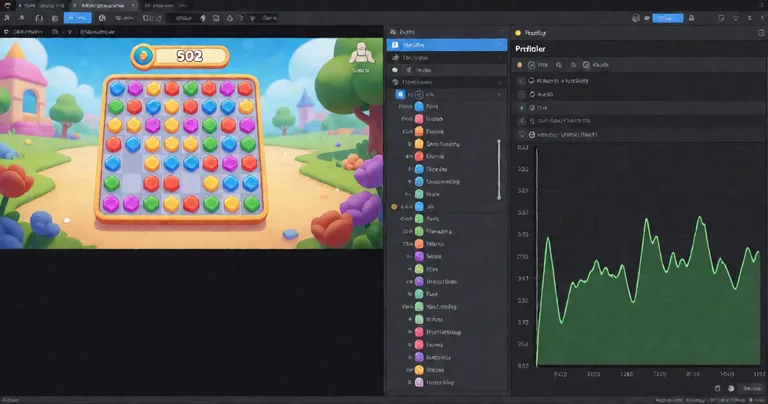
Casual games typically target 60 FPS on devices with 2GB RAM or less. Every allocation matters. Use the Unity Profiler and Memory Profiler religiously.
Why Modular Game Systems Are Critical for Casual Games
Casual games live or die by their ability to load fast, run smoothly, and update frequently. Monolithic architectures create technical debt that slows down live ops. Modular systems—where each feature (leveling, inventory, achievements) is a self-contained package—allow you to swap, disable, or upgrade components without breaking the build.
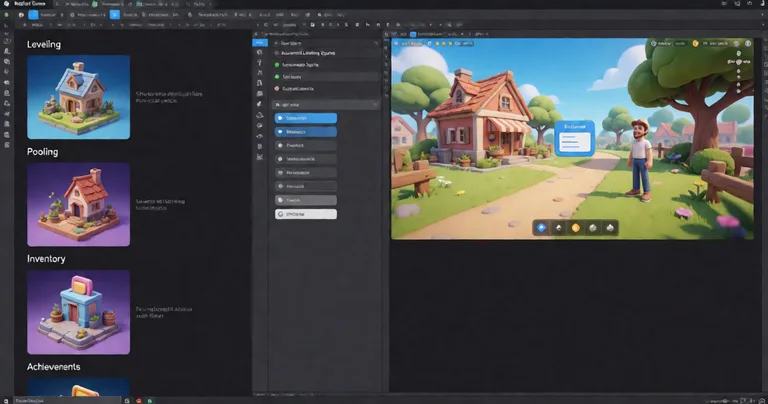
RealSoft Games builds its entire product line around this philosophy. For example, the Advanced Leveling System provides 40+ experience curve algorithms as a drop-in module. You can add XP progression to a casual puzzle game without writing a single line of progression code. The system handles save/load, level-up events, and UI hooks, and it's fully documented in the RealSoft Games Documentation Hub.
Key Benefits of Modular Architecture
- Faster iteration: Designers can tweak curves and values without programmer intervention.
- Reduced merge conflicts: Teams work on isolated features, not shared monoliths.
- Easier asset integration: Third-party tools plug into standardized interfaces.
- Lower memory overhead: Disable unused modules at build time.
For a deeper dive into modular design, see our article on buying Unity game templates.
Performance Optimization for Casual Games: Zero-Allocation Core Loops
Garbage collection spikes are the number one cause of frame drops in casual games. A single 2ms GC pause can ruin a 60 FPS experience. The solution is to design zero-allocation core loops—code that runs every frame without allocating heap memory.
Object pooling is the primary technique. Instead of instantiating and destroying bullets, enemies, or UI elements, you pre-allocate a pool and recycle instances. RealSoft Games' Spawner Advanced & Pooling system implements wave-based spawning with integrated pooling, eliminating GC spikes entirely. It's used in production titles like Airway Defence and Calling All Heros to maintain consistent frame times under heavy load.
Performance Metrics: Before and After Pooling
| Metric | Without Pooling | With Pooling (Spawner Advanced) |
|---|---|---|
| Average Frame Time | 18.2 ms | 12.1 ms |
| GC Alloc per Frame | 4.7 KB | 0 B |
| GC Spikes per Minute | 12 | 0 |
| Max Instance Count | 200 | 1000+ |
These numbers come from a stress test on a mid-range Android device (Snapdragon 665). The pooled version sustained 60 FPS with 1000 active projectiles, while the non-pooled version dropped to 32 FPS.
Use the Unity Profiler's GC Alloc column in the Hierarchy view to find per-frame allocations. Aim for 0 B in hot paths.
C# Scripting and Architecture Patterns for Casual Games
Casual games benefit from simple, decoupled patterns. Avoid over-engineering with heavy frameworks. Instead, use these proven approaches:
- State Machines: For game states (menu, playing, paused) and AI behaviors. RealSoft Games' Interactable System uses a state-machine powered by the Unity Job System to handle 200+ interactables without per-frame MonoBehaviour updates.
- Observer Pattern: For UI updates and achievement tracking. The Advanced Achievement System uses event-driven architecture to decouple gameplay from achievement logic.
- Data-Oriented Design: For inventory and large collections. The Inventory Management Suite uses O(1) item lookups via hash maps, not linear searches.
- Command Pattern: For undo/redo and networked actions. Used in Arcadus for lockstep networking.
Code Example: Zero-Allocation Object Pool
public class SimplePool<T> where T : Component
{
    private readonly Stack<T> _pool = new Stack<T>();
    private readonly T _prefab;
    private readonly Transform _parent;

    public SimplePool(T prefab, int initialSize, Transform parent)
    {
        _prefab = prefab;
        _parent = parent;
        for (int i = 0; i < initialSize; i++)
        {
            T obj = Object.Instantiate(prefab, parent);
            obj.gameObject.SetActive(false);
            _pool.Push(obj);
        }
    }

    public T Get()
    {
        if (_pool.Count == 0)
        {
            T obj = Object.Instantiate(_prefab, _parent);
            return obj;
        }
        T pooled = _pool.Pop();
        pooled.gameObject.SetActive(true);
        return pooled;
    }

    public void Return(T obj)
    {
        obj.gameObject.SetActive(false);
        _pool.Push(obj);
    }
}
This pool avoids allocations after initialization. For production use, consider the more advanced pooling in Spawner Advanced & Pooling, which supports wave spawning, recycling policies, and integration with Unity's Addressables.
Asset Integration and Workflow for Rapid Casual Game Development
Casual games often rely on third-party assets to accelerate development. But integrating assets from the Unity Asset Store can be painful if they don't follow consistent conventions. RealSoft Games ships all products under the RealSoftGames namespace with unified APIs, making them easy to combine.
For example, the Advanced Loading Screen handles async additive scene loading with customizable UI, tips, and progress bars. It integrates seamlessly with the ALS Audio System for audio cues during transitions. This modularity means you can assemble a complete game framework from individual components.
Recommended Asset Stack for Casual Games
| Feature | RealSoft Games Product | Key Benefit |
|---|---|---|
| Progression | Advanced Leveling System | 40+ XP curves, save/load, events |
| Spawning & Pooling | Spawner Advanced & Pooling | Zero-allocation waves, GC-free |
| Inventory | Inventory Management Suite | O(1) lookups, merchants, loot tables |
| Achievements | Advanced Achievement System | Drag-and-drop, cloud sync |
| AI Dialogue | LLM Chat Module | Local LLM support, no cloud costs |
These assets are designed to work together. You can find more recommendations in our guide to Unity assets for game developers.
Networking and Multiplayer in Casual Games
Casual multiplayer doesn't need to be complex. Turn-based games, async challenges, and co-op modes can use lightweight networking. RealSoft Games' RNet is a Remote Procedure Call (RPC) library for Unity that prioritizes reliable communication with runtime code generation and optimized serialization. It's used in Arcadus, a turn-based game with lockstep networking and deterministic state synchronization.
For casual games, consider these networking patterns:
- Lockstep: Deterministic simulation, low bandwidth. Ideal for turn-based.
- Client-Server: Authoritative server for competitive games. Higher cost.
- Relay: Peer-to-peer with a relay server for NAT punchthrough. Good for co-op.
RNet's serialization is allocation-free after warm-up, making it suitable for mobile. See the RealSoft Games API for integration details.
"Casual games are not simple games. They are games with simple interfaces backed by complex, performant systems."
— RealSoft Games Engineering Team
AI and LLM Integration in Casual Games
AI-driven NPCs can add depth to casual games, but cloud API costs kill profitability. The solution is local LLMs. RealSoft Games' LLM Chat Module connects to local providers like Ollama or LM Studio, enabling dynamic NPC dialogue without per-request fees. It runs on-device or on a local server, and it's designed for low-latency responses.
For casual games, use LLMs for:
- Dynamic quest generation
- NPC barks and flavor text
- Player-driven dialogue trees
- Personalized hints and tutorials
The module includes a prompt template system, context management, and fallback to scripted dialogue. It's a drop-in solution for studios that want AI without recurring costs.
Local LLMs require significant RAM and CPU. Test on target devices. For low-end mobile, consider a hybrid approach: scripted dialogue for common cases, LLM for rare interactions.
Frequently Asked Questions
Q: What is the best Unity architecture for casual games?
A: Use a modular, component-based architecture with zero-allocation core loops. Avoid monolithic singletons. RealSoft Games' products follow this pattern, with each system (leveling, inventory, spawning) as a separate module.
Q: How do I optimize performance for low-end mobile devices?
A: Profile with Unity's Profiler, eliminate per-frame allocations, use object pooling, and reduce draw calls. The Spawner Advanced & Pooling system eliminates GC spikes, and the Interactable System uses the Job System to handle 200+ interactables without MonoBehaviour overhead.
Q: Can I integrate AI dialogue into a casual game without cloud costs?
A: Yes. Use the LLM Chat Module to connect to local LLM providers like Ollama or LM Studio. It runs on-device or on a local server, eliminating per-request API fees.
Q: What Unity assets should I use for a casual RPG?
A: Start with the Advanced Leveling System for progression, Inventory Management Suite for items and currency, and Advanced Skill System for abilities. Our guide to best Unity assets for RPG covers more options.
Q: How do I handle networking in a turn-based casual game?
A: Use a lockstep networking model with deterministic state synchronization. RealSoft Games' RNet library provides RPCs with optimized serialization, as used in Arcadus.
Q: Where can I find documentation for RealSoft Games products?
A: The RealSoft Games Documentation Hub provides API references, tutorials, and integration guides for all products. It's the canonical source for setup and advanced scripting hooks.
Casual games require a disciplined approach to architecture and performance. By adopting modular systems, zero-allocation patterns, and local AI integration, you can ship stable, engaging experiences on any platform. RealSoft Games provides battle-tested tools that solve these exact problems—from leveling and pooling to inventory and LLM dialogue. Explore our WebGL Games Platform to see these systems in action, and check the RealSoft Games Documentation Hub to start integrating today.