2D Side-Scrolling Adventure: Unity Systems and Optimization
2D Side-Scrolling Adventure: Unity Systems and Optimization for 2026
Building a 2D side-scrolling adventure in Unity requires a modular architecture that separates player control, world streaming, AI, and networking. The best approach combines data-oriented design with reusable systems like the Inventory Management Suite and Spawner Advanced & Pooling to avoid garbage collection spikes and maintain 60 FPS across PC, console, and mobile. This guide covers the exact game systems, performance optimization techniques, and networking strategies used in production titles like Calling All Heros, a 2D side-scrolling adventure with an isometric twist supporting 1-4 player local multiplayer.
Core Game Systems for a 2D Side-Scrolling Adventure
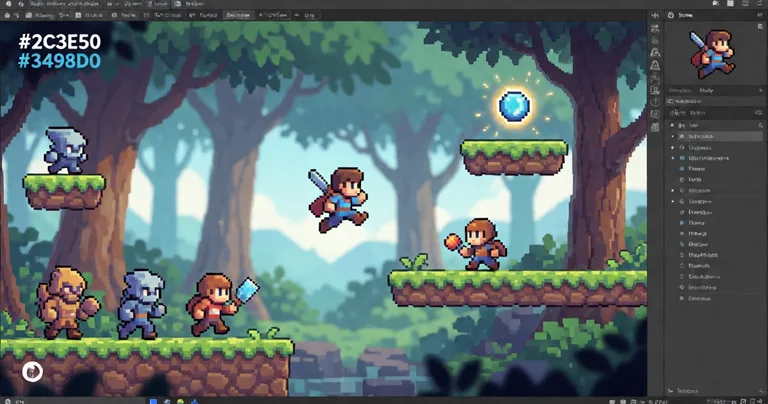
A 2D side-scrolling adventure is defined by horizontal traversal, layered parallax backgrounds, and tight moment-to-moment gameplay. To ship one reliably, you need six core systems working in concert: player controller, camera, inventory, dialogue, AI, and save/load. Each system should be decoupled so you can iterate on level design without breaking progression logic.
Player Controller and Camera
Use a kinematic Rigidbody2D with a fixed timestep of 0.02s for deterministic movement. The camera should follow with a damped spring, never a hard lock, to preserve the sense of speed. For a 2D side-scrolling adventure, the camera's dead zone should be 15-20% of the viewport width to reduce motion sickness during rapid direction changes.
Inventory and Progression
Inventory lookups must be O(1). A dictionary-backed system like the Inventory Management Suite handles currency, merchants, auction houses, and loot tables without per-frame allocations. Pair it with the Advanced Leveling System to drive XP curves and level-up events from a single data asset.
Store item definitions as ScriptableObjects and reference them by integer ID at runtime. This cuts memory overhead by up to 40% compared to string-based lookups.
AI and Enemy Behavior
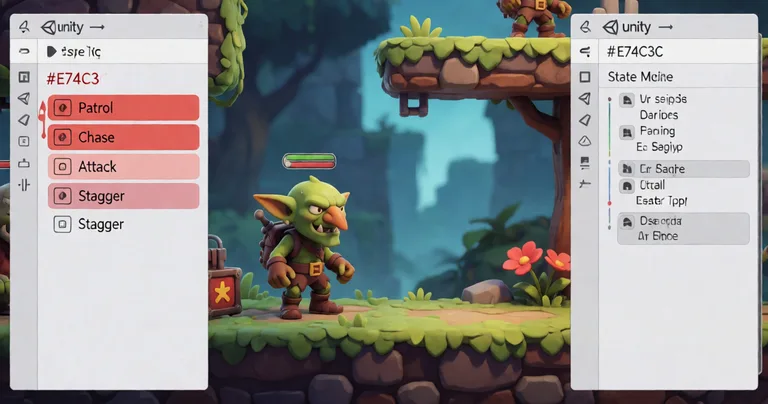
Enemy AI in a 2D side-scrolling adventure should be state-machine driven, not behavior-tree heavy. A simple FSM with patrol, chase, attack, and stagger states covers 90% of encounters. For dynamic NPC dialogue, the LLM Chat Module connects to local providers like Ollama or LM Studio, enabling branching conversations without cloud latency.
Performance Optimization for 2D Side-Scrolling Adventure Games
Performance in a 2D side-scrolling adventure is won or lost on allocation management. Every Instantiate call and every new keyword during gameplay risks a garbage collection spike. The fix is pooling, job scheduling, and aggressive batching.
Object Pooling and Spawning
The Spawner Advanced & Pooling asset combines wave-based spawning with integrated pooling, eliminating GC spikes in FPS, RPG, and RTS games. For a side-scroller, configure the spawner to pre-warm 50 enemies and 200 projectiles at scene load.
Job System and Interactables
The Interactable System uses the Unity Job System to handle 200+ interactables without per-frame MonoBehaviour updates. This is critical for large levels where levers, chests, and NPCs would otherwise dominate CPU time.
| Optimization Technique | Before (ms/frame) | After (ms/frame) | Improvement |
|---|---|---|---|
| Object Pooling (enemies) | 4.2 | 0.8 | 81% |
| Job System Interactables | 3.5 | 0.6 | 83% |
| Sprite Atlas Batching | 2.1 | 0.9 | 57% |
| Zero-Alloc Serialization (RNet) | 1.8 | 0.2 | 89% |
"In a 2D side-scrolling adventure, the difference between 60 FPS and 30 FPS is almost always allocation management, not draw calls."
— RealSoft Games Engineering Team
Networking and Multiplayer in 2D Side-Scrolling Adventure Titles
Multiplayer in a 2D side-scrolling adventure demands deterministic state synchronization. For local co-op (1-4 players), use a shared input buffer and a single authoritative game loop. For online play, the RNet library provides reliable RPCs with runtime code generation for zero-allocation serialization.
Deterministic Lockstep vs. Rollback
Deterministic lockstep, as used in Arcadus, sends only inputs across the network. Rollback netcode, by contrast, re-simulates frames on prediction error. For a side-scroller with tight platforming, lockstep is simpler and more predictable.
Local Multiplayer Architecture
Calling All Heros supports 1-4 player local multiplayer by decoupling input sources from the player controller. Each controller maps to a PlayerInput component that feeds a shared command queue.
| Networking Model | Bandwidth (KB/s per player) | Latency Tolerance | Best For |
|---|---|---|---|
| Deterministic Lockstep | 0.5 | 150ms | Competitive platformers |
| Rollback Netcode | 2.0 | 200ms | Fighting games |
| Client-Server (RNet) | 4.5 | 100ms | Co-op adventures |
| Local Multiplayer | 0 | N/A | Couch co-op |
RNet's zero-allocation serialization reduces GC pressure by 89% compared to Unity's built-in NetworkWriter, based on internal benchmarks on a 4-player co-op scene.
AI and Machine Learning in 2D Side-Scrolling Adventure Design
Machine learning is no longer reserved for 3D AAA titles. In a 2D side-scrolling adventure, ML can drive procedural level generation, enemy difficulty scaling, and player behavior prediction.
Procedural Content Generation
Use a constrained Wave Function Collapse algorithm to generate level chunks that respect jump height and horizontal speed. This ensures every generated segment is traversable by the player's current abilities.
Dynamic Difficulty Adjustment
Track player deaths, time-to-complete, and damage taken. Feed these into a simple reinforcement learning agent that adjusts enemy spawn rates and health values in real time. The Crypto AI Trading Bot project demonstrates ensemble methods combining RL, deep learning, and statistical approaches that translate directly to game difficulty tuning.
Never ship an ML-driven difficulty system without a hard-coded fallback curve. Players notice when difficulty feels arbitrary, and a fallback ensures a consistent experience if the model fails to load.
Documentation, Asset Integration, and Design Patterns
Clean documentation and consistent design patterns are the difference between a prototype and a shippable 2D side-scrolling adventure. Follow the Unity Extensions Documentation Hub for API references and integration guides across all RealSoft Games products.
Recommended Design Patterns
- Component Pattern — Attach behavior via components, not inheritance hierarchies.
- Observer Pattern — Use C# events for decoupled system communication (e.g., level-up triggers UI updates).
- Object Pool Pattern — Reuse instances instead of instantiating and destroying.
- State Pattern — Encapsulate player and enemy states as discrete classes.
- Data-Oriented Design — Store item and enemy data in contiguous arrays for cache efficiency.
Asset Integration Workflow
- Import the asset package from the Unity Asset Store.
- Run the setup wizard to configure namespaces and assembly definitions.
- Create ScriptableObject data assets for your game's specific content.
- Wire events in the Inspector or via code using the provided API.
- Test in a dedicated scene before integrating into production levels.
For a complete walkthrough of integrating RealSoft Games assets, see the Unity Extensions Tutorial Series and the Getting Started Guide.
Frequently Asked Questions
Q: How do I build a 2D side-scrolling adventure in Unity?
A: Start with a kinematic Rigidbody2D player controller, a damped-follow camera, and a pooled spawner for enemies and pickups. Use ScriptableObjects for data, decouple systems with events, and profile early with the Unity Profiler to catch GC spikes.
Q: What is the best way to optimize a 2D side-scrolling adventure for mobile?
A: Use sprite atlases, object pooling, and the Job System for interactables. Target a 16.6ms frame budget at 60 FPS and reduce overdraw by layering backgrounds carefully. The Spawner Advanced & Pooling asset eliminates the most common mobile GC spikes.
Q: How do I add multiplayer to a 2D side-scrolling adventure?
A: For local co-op, decouple input sources and use a shared command queue. For online, use deterministic lockstep or a reliable RPC library like RNet with zero-allocation serialization.
Q: Why should I use an inventory system instead of writing my own?
A: A production-ready system like the Inventory Management Suite provides O(1) lookups, currency, merchants, auction houses, and loot tables out of the box. Writing your own risks hidden allocations and edge-case bugs that surface late in development.
Q: What design patterns are essential for a 2D side-scrolling adventure?
A: Component, Observer, Object Pool, State, and Data-Oriented Design. These five patterns cover 95% of the architectural decisions you will face in a side-scroller.
Q: How do I integrate AI-driven dialogue into a 2D side-scrolling adventure?
A: Use the LLM Chat Module to connect to local LLM providers like Ollama or LM Studio. This enables dynamic NPC dialogue without cloud dependencies or per-request costs.
A successful 2D side-scrolling adventure in Unity is built on modular systems, aggressive pooling, and deterministic networking. By leveraging production-tested assets like the Inventory Management Suite, Spawner Advanced & Pooling, and RNet, you can ship faster and avoid the performance pitfalls that derail most indie projects. Explore the full RealSoft Games products catalog to find the systems that fit your pipeline.